Sonasi Meetings
为每一场会议提供实时转录与翻译——在你的 Mac、iPhone 和 iPad 上,私密且在设备端完成。
简介
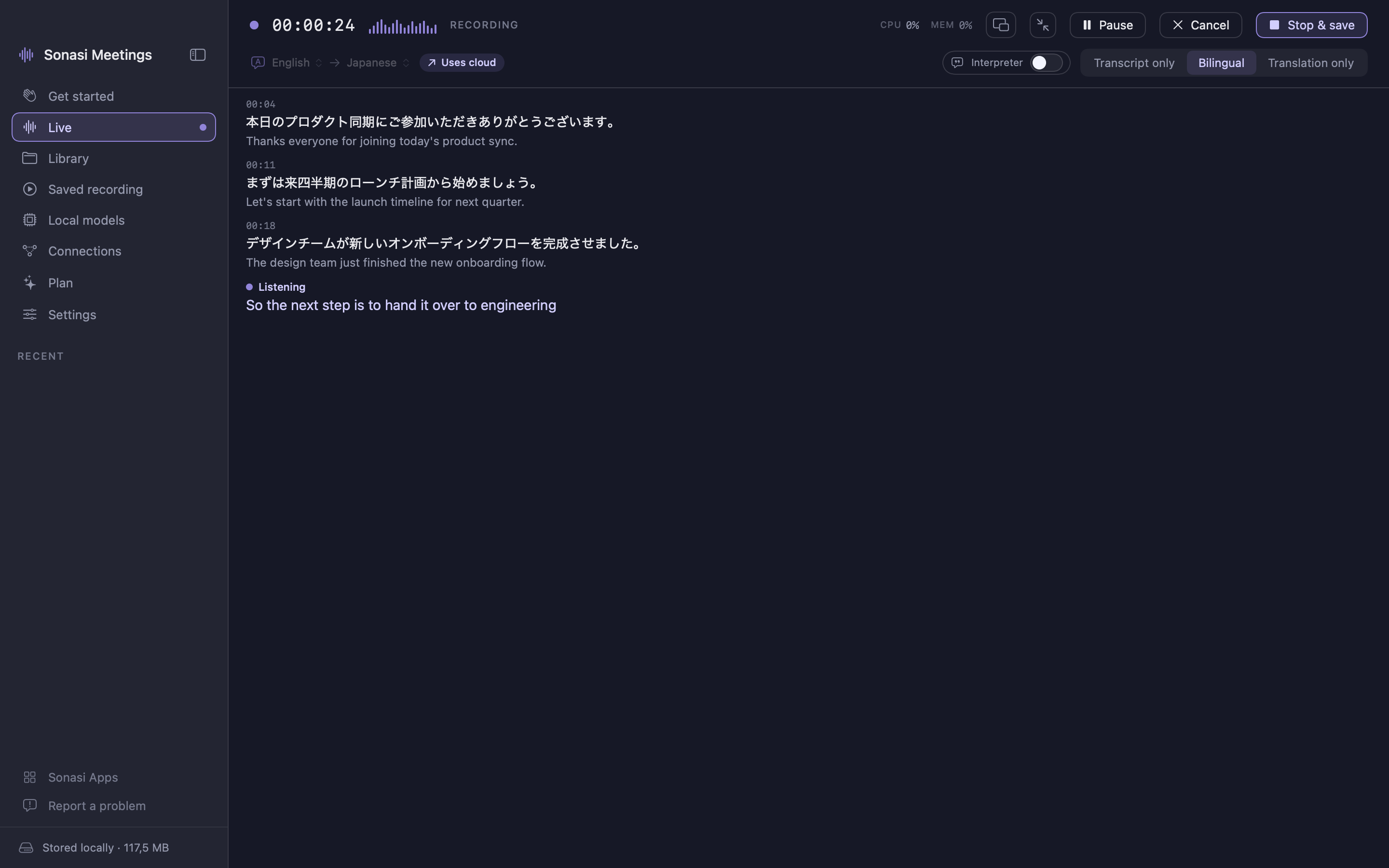
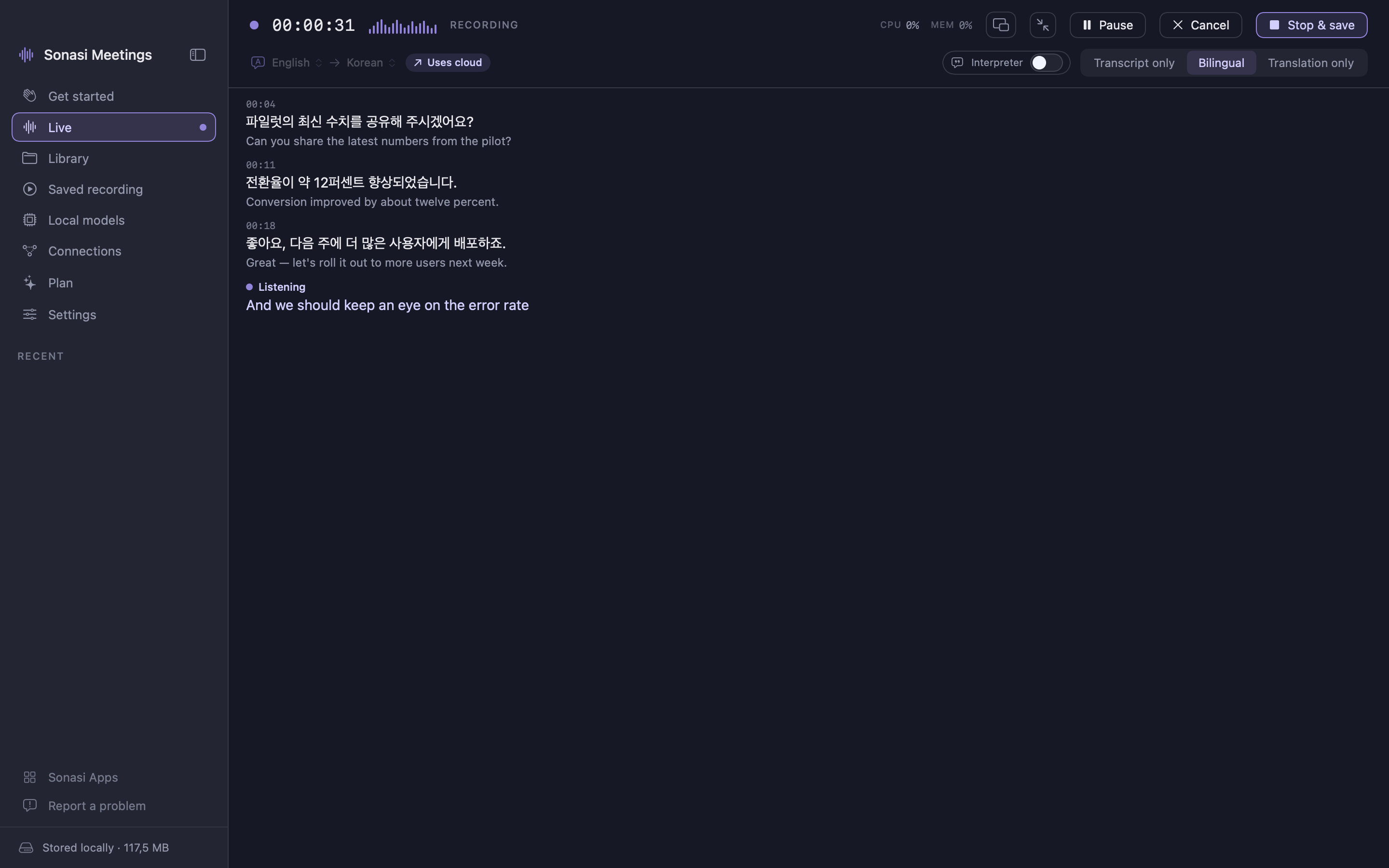
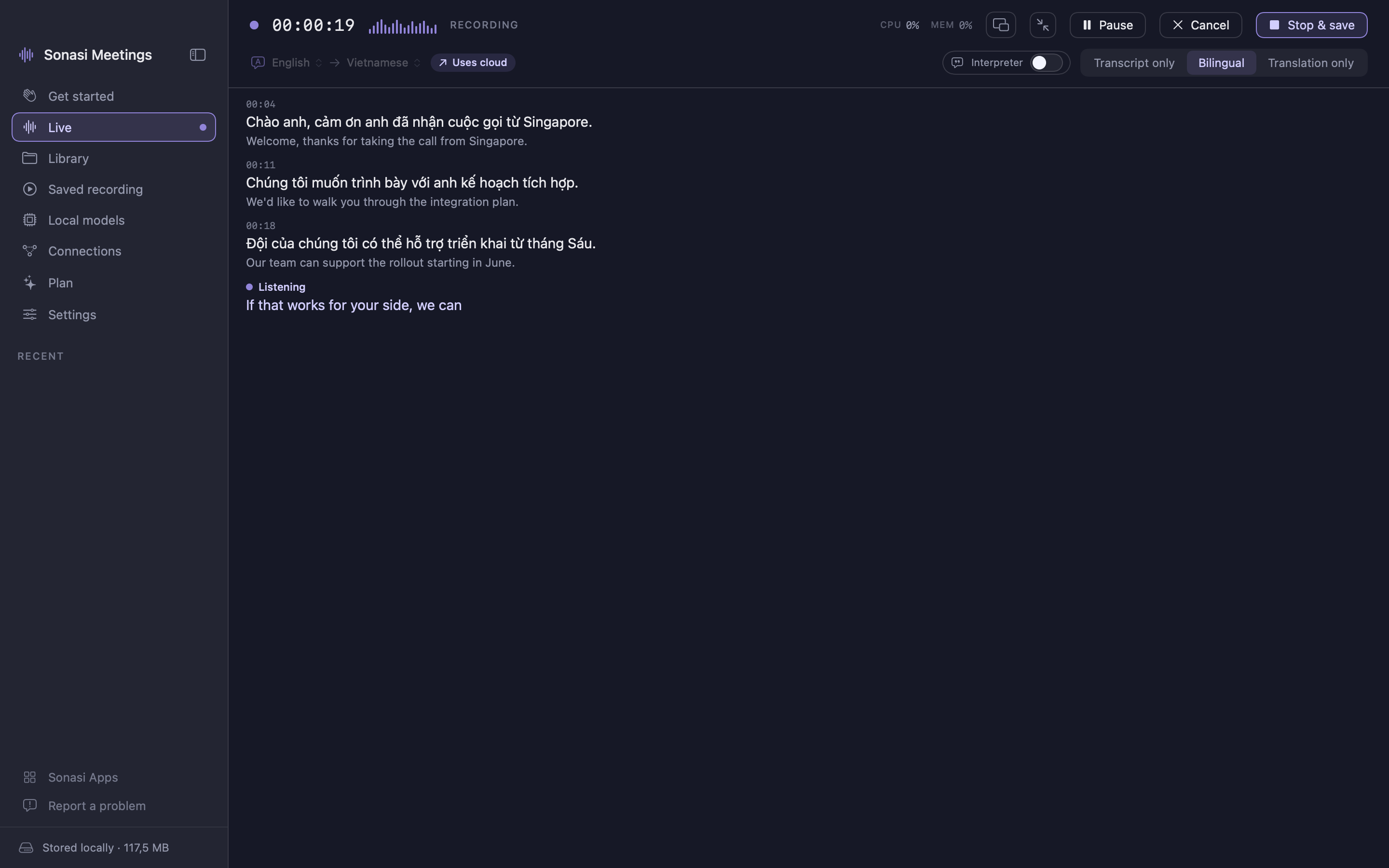
Sonasi Meetings 能将任何对话变成实时转录与翻译——在你的 Mac、iPhone 或 iPad 上。按下录音,就能在人们说话时用自己的语言同步阅读。
专为跨语言会议、访谈、讲座和通话打造。可与 Zoom、Google Meet、Microsoft Teams 同时使用,或与房间里的人一起使用。
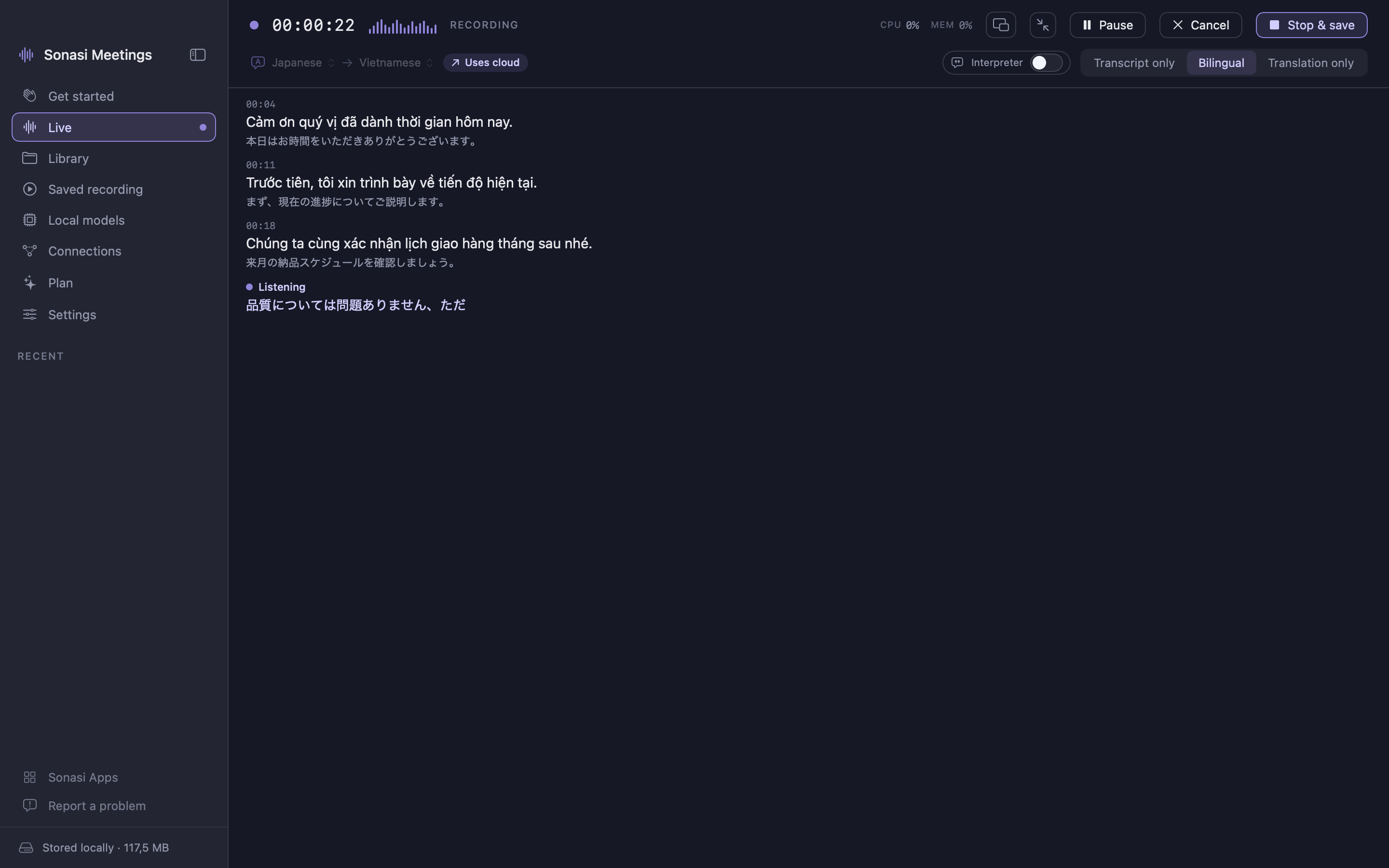
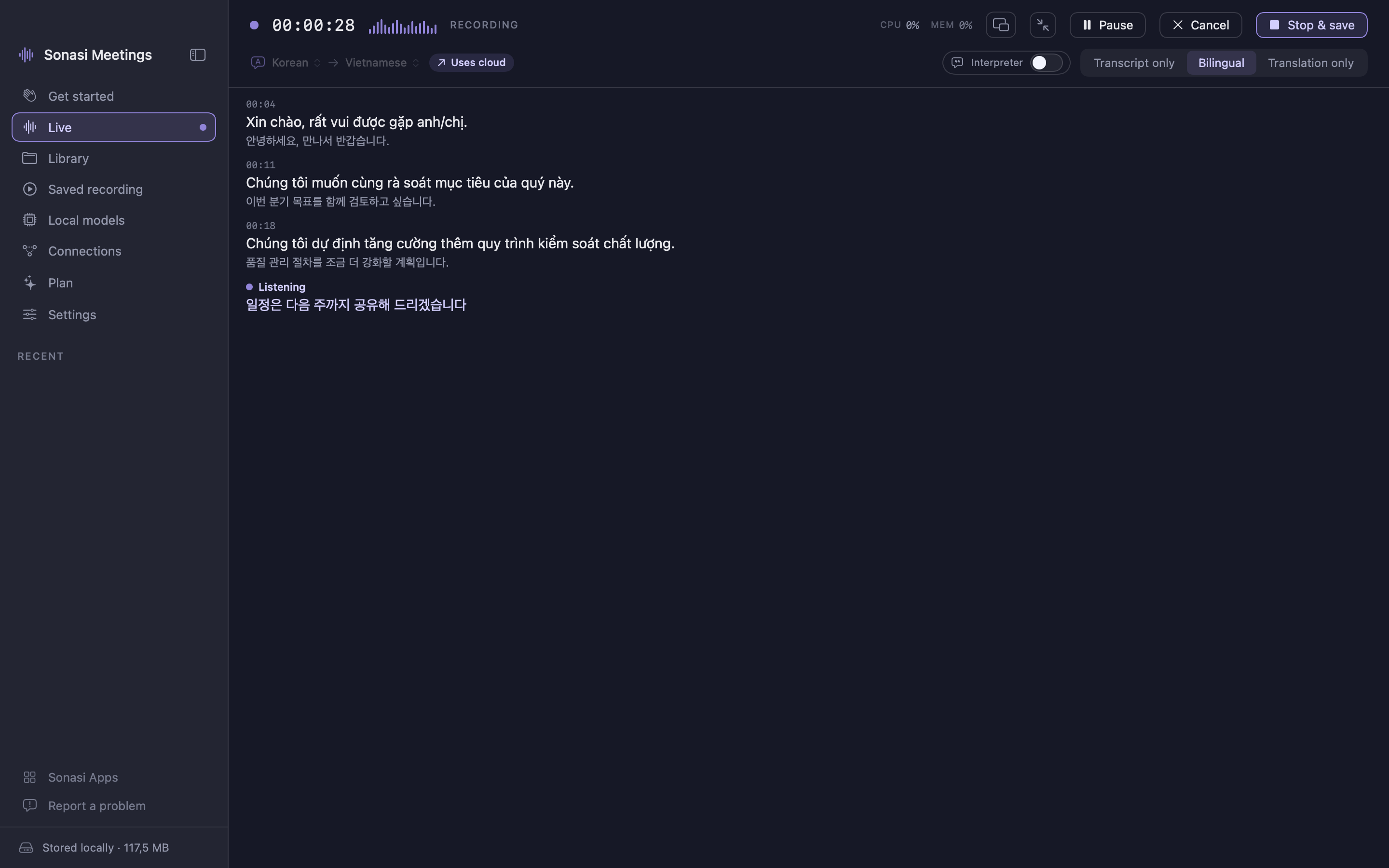
实时,双语显示
- 文字随语音同步出现,支持多达 99 种语言
- 实时翻译显示在原文旁,或仅显示翻译
- 口译模式等待一个完整语意后整体翻译——像人类口译员一样,而非逐字直译
- 可只看转录、只看翻译,或两者并排显示
- 暂停、继续,锁屏时也继续录音
- 为转录、翻译、摘要分别选择引擎——默认设备端,需要更高精度时才用云端
会后润色
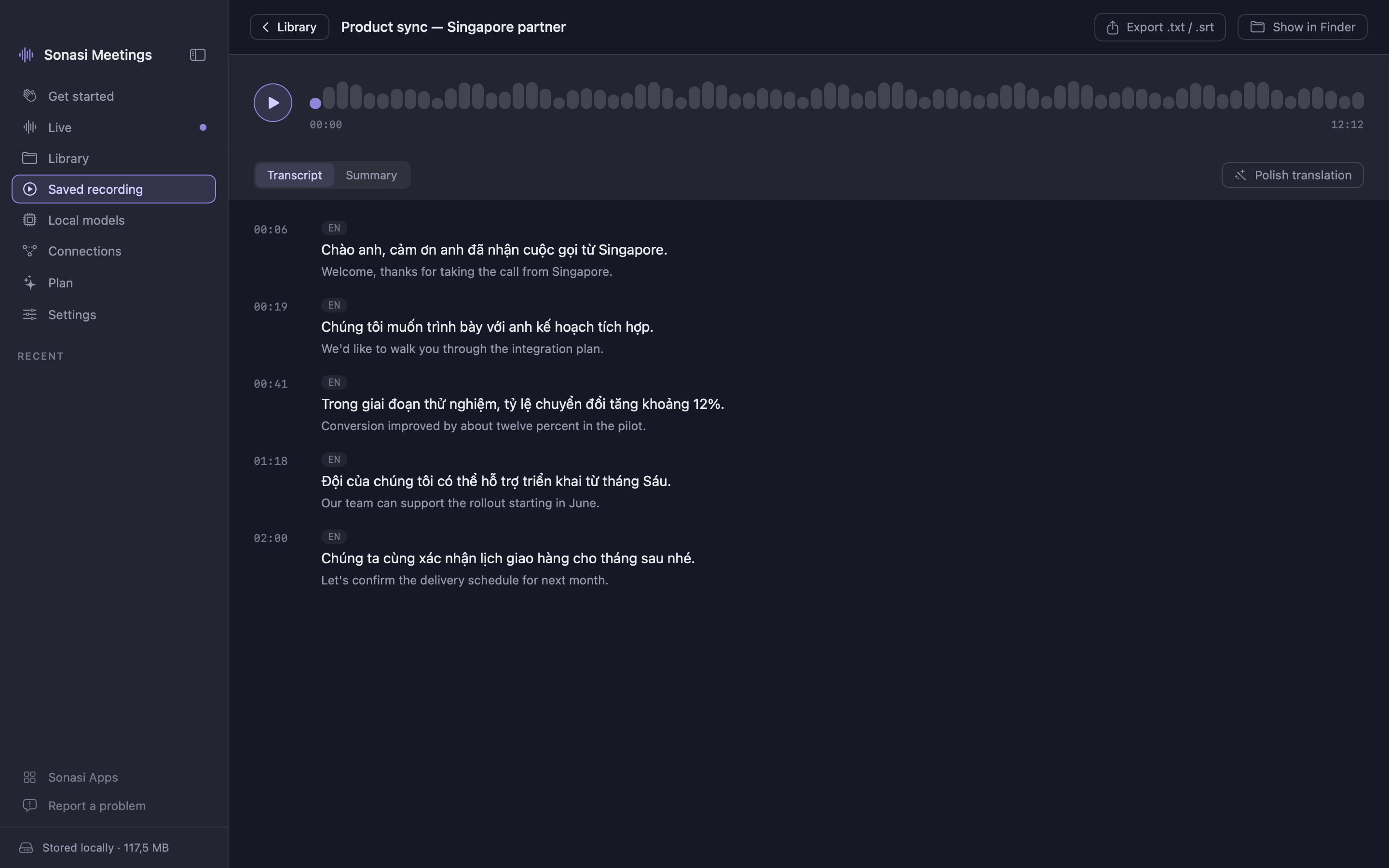
- 润色会重写原始转录:标点、人名、品牌和专业术语被一致地纠正,去掉口头填充词
- 然后基于干净的文本、结合完整上下文重新翻译,读起来像一份连贯的文档
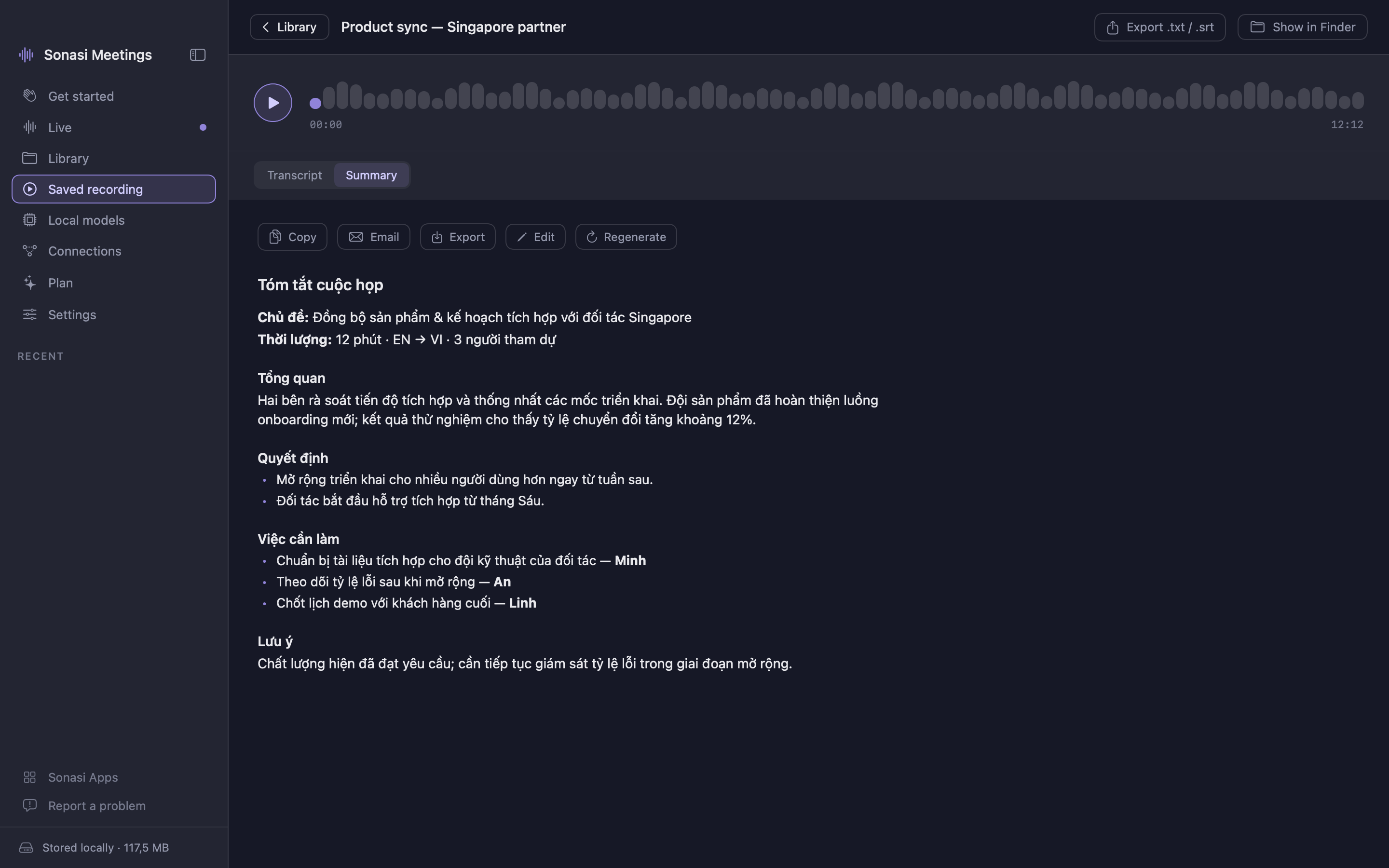
- 摘要包含主要议题、决策、行动项和待解决问题——用你的语言
- 录音会根据实际讨论内容自动命名
可搜索的录音库
- 每条录音都带有音频、转录、翻译和摘要
- 在标题、转录和翻译中搜索任何词
- 重命名、回放、分享
隐私设计
- 默认引擎使用 Apple 内置的语音、翻译和 Apple Intelligence,完全在你的设备上运行——不上传任何内容
- 离线语言包无需联网即可工作
- 无需账户。删除录音即彻底消失——服务器上没有副本
- 匿名使用统计仅在你主动开启时收集;绝不发送音频、转录或姓名
使用你自己的 AI(可选)
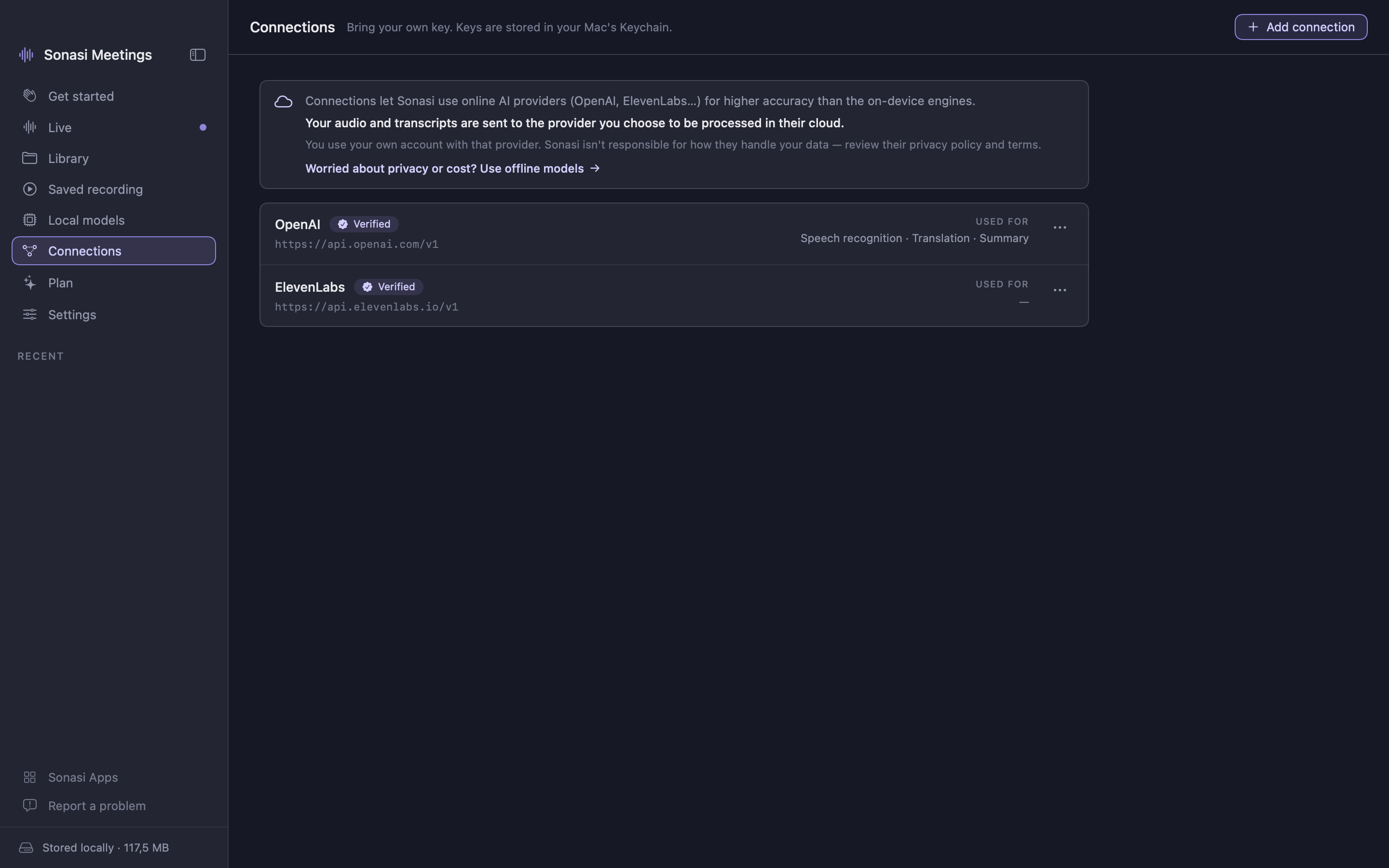
- 连接你自己的 OpenAI、ElevenLabs、OpenRouter 或 Ollama 账户,或任何 OpenAI 兼容端点,获得云端精度
- 为转录、翻译和摘要分别指定模型;服务商提供时会显示价格
- 密钥保存在系统钥匙串中,除你选择的服务商外不会离开设备
在 Mac 上
- 采集麦克风,并可选采集通话远端,为对话双方添加字幕
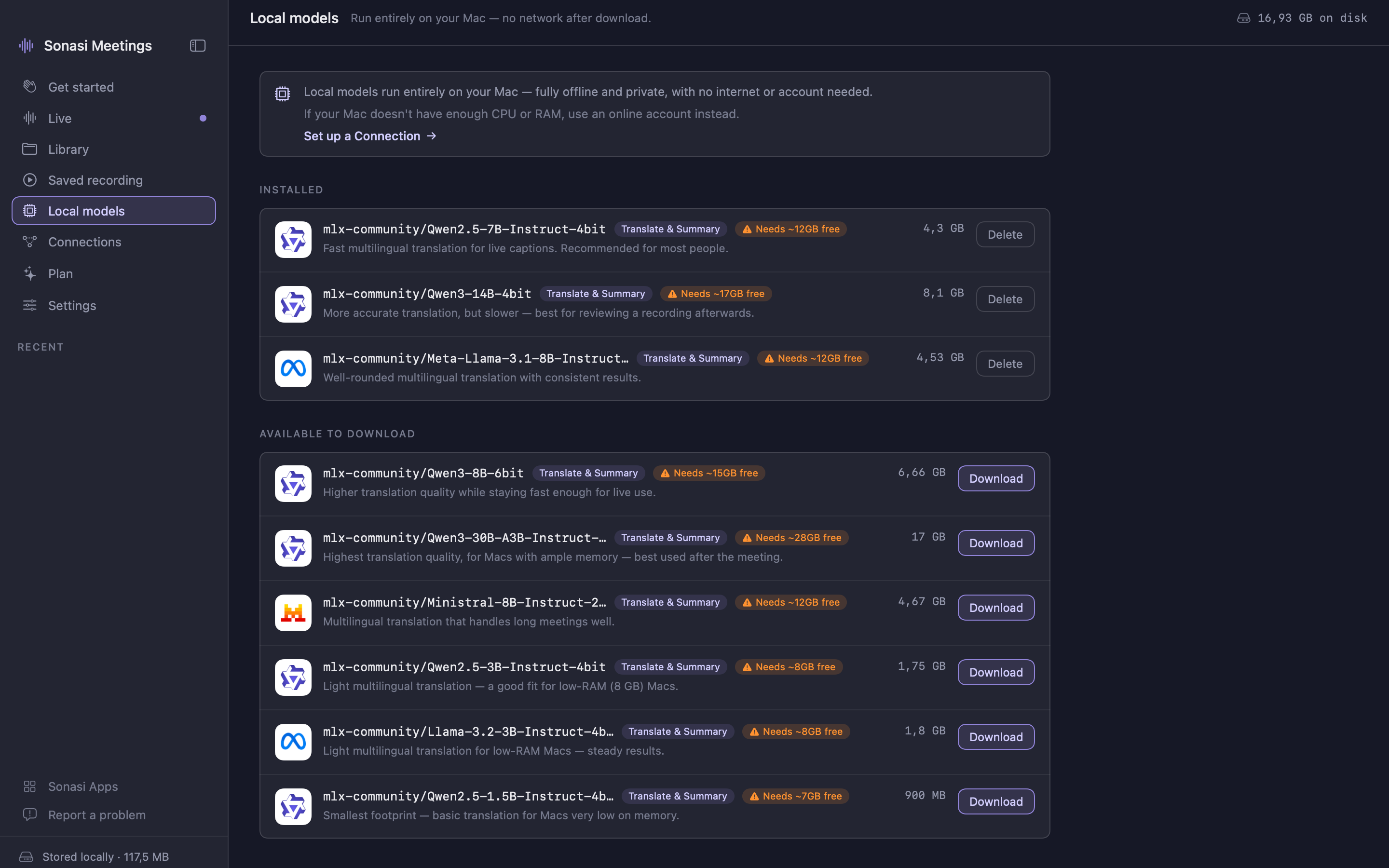
- 下载设备端 AI 模型,完全离线获得更高质量的结果
- 用逼真的声音朗读翻译;导出 TXT / SRT
在 iPhone 和 iPad 上
- 放在口袋里或桔子上都能录音,带实时字幕,不会自动锁屏
- iPad:侧边栏、最近录音,列表与详情并排显示
每天免费,需要时升级 Pro 所有功能均免费,每天可录音 30 分钟。Sonasi Meetings Pro 解除这一限制:会议持续多久就录多久。一份 Pro 同时解锁 Mac、iPhone 和 iPad——每月 $9.99 或每年 $69.99,年度计划含免费试用。订阅在周期结束前 24 小时内未取消将自动续订,可在 App Store 账户中管理。
适合谁 在英语、越南语、日语、韩语和中文之间工作的团队。访谈和客户通话。讲座和会议。任何想用还在学习的语言跟上对话——并保留一份之后可搜索的记录的人。
人人都能轻松上手 没有专业术语,无需设置,无需配置。六种界面语言:英语、越南语、日语、韩语、中文(繁体和简体)。
需要 macOS 15 或更高版本,或 iOS / iPadOS 18 或更高版本。在 macOS 26 / iOS 26 上启用 Apple Intelligence 可获得最精准的设备端转录和设备端摘要。
使用条款(EULA):https://www.apple.com/legal/internet-services/itunes/dev/stdeula/
功能
实时转录
文字随语音同步出现,支持多达 99 种语言,翻译就在旁边。
口译模式
等待一个完整语意后整体翻译——像人类口译员一样,而非逐字直译。
润色
纠正整份转录中的人名、术语和标点,再结合完整上下文重新翻译。
摘要与行动项
主要议题、决策和待办,用你的语言,录音一结束就生成。
全文搜索
在录音库的标题、转录和翻译中找到任何词。
Mac、iPhone 和 iPad
一个应用,一份 Pro。在手机上录音,在 Mac 上阅读——录音始终留在你的设备上。
应用内购买
应用本体可免费下载。
价格以美国 App Store 为准,各地区可能不同。付款、续订与取消均由 Apple 处理。
系统要求
- macOS
- 15 Sequoia 或更高版本,Apple 芯片(M1 或更高)
- iOS / iPadOS
- 18 或更高版本
- Apple Intelligence
- 设备端摘要需要 macOS 26 / iOS 26(可选)
- 内存(Mac)
- 最低 8 GB,本地 AI 模型建议 16 GB
- 空间
- 约 500 MB;设备端 AI 模型每个 1–17 GB(Mac,可选)
- 访问权限
- 麦克风和语音识别;Mac 上为通话远端加字幕需要屏幕录制(可选)
更新内容
- What’s New
- More languages, on device
- Live transcription now runs on device for many more languages, including Vietnamese, Thai, Hindi, Russian, and Indonesian — no cloud needed.
- When your language is high quality on Apple’s on-device engine, cloud transcription automatically switches to on-device to cut cost and latency, with no loss in quality.
- Better live accuracy
- Fixed dropped and out-of-order words during live transcription.
- Rebuilt real-time cloud transcription (ElevenLabs and OpenAI): no more cut-off, duplicated, or vanishing lines.
- Auto-detect source language now translates correctly.
- Redesigned floating captions (Picture-in-Picture)
- Text now streams in live, word by word, instead of jumping a whole sentence at a time.
- Easier to read: the translation stands out, the original sits beneath, every line is timestamped.
- A fixed, resizable window — captions scroll inside instead of growing off-screen — and it stays in sync with the main window.
- A window that fits your screen
- The main window now resizes much smaller, down to a compact size that’s handy during meetings.
- New compact button (next to Picture-in-Picture) instantly shrinks the window and brings it back to full size.
- The transcript is now one clean, easy-to-read stream at every size.
- Your choices, remembered
- The app remembers your Live display mode (Transcript only, Bilingual, or Translation only) and your language selection.
- Clearer guidance
- Friendly alerts when a language may be low quality on the default engine, or when a language pair isn’t supported — with one tap to switch to Cloud or Local, or download the language pack in app.
- Privacy and sharing
- Encryption now protects your audio file only; transcripts are always searchable in Sonasi Notebook.
- New installs start with Sonasi Notebook sharing on and audio encryption off (both changeable in Settings).
- Optional anonymous usage statistics (opt-in during setup) help us improve the app — never your audio, transcripts, or any personal data.
- Also: quick links to the other Sonasi apps and a “Report a problem” page, plus a range of stability and performance improvements.
- Allow Sonasi Meetings to sync data directly with Sonasi Notebook, another application within Sonasi AI Studio.
- 已发布
常见问题
Sonasi Meetings 免费吗?
是的——所有功能均免费,每天可录音 30 分钟。Sonasi Meetings Pro 解除这一限制,会议持续多久就录多久:每月 $9.99 或每年 $69.99,年度计划含免费试用。一份 Pro 涵盖 Mac、iPhone 和 iPad。
能在 iPhone 和 iPad 上使用吗?
可以。Sonasi Meetings 是 Mac、iPhone 和 iPad 共用的同一个应用,同一个 bundle,因此购买一次 Pro 即可在三种设备上解锁。iPad 上有侧边栏,并将列表与录音并排显示。
我的音频是私密的吗?
默认情况下,一切都使用 Apple 内置的语音、翻译和 Apple Intelligence 在你的设备上运行——不上传任何内容,也没有账户。只有当你选择连接自己的云服务商时,音频或文本才会离开设备。
它能在哪些会议应用中使用?
任何应用都行。Sonasi 监听麦克风——在 Mac 上还可选监听系统音频——因此可与 Zoom、Google Meet、Microsoft Teams 或同一房间里的人协同工作,无需插件或集成。
需要联网吗?
不需要。设备端转录和 Apple 的离线语言包无需联网即可工作。只有在你选择云端引擎时才需要联网。
支持多少种语言?
转录使用云端引擎时支持多达 99 种语言,离线时支持 Apple 设备端语言集;可在数十种语言对之间实时翻译。界面提供英语、越南语、日语、韩语和中文。
润色是做什么的?
会后,润色会重写原始转录——标点、人名、品牌和专业术语被一致地纠正,去掉口头填充词——然后基于干净的文本、结合完整上下文重新翻译。它使用你为翻译指定的云端模型。
可以用我自己的 AI 账户吗?
可以。用你自己的密钥连接 OpenAI、ElevenLabs、OpenRouter、Ollama 或任何 OpenAI 兼容端点,并为转录、翻译和摘要分别指定模型。密钥保存在系统钥匙串中。
能采集通话对方的声音吗?
在 Mac 上可以:授予屏幕录制权限后,Sonasi 会同时为你的麦克风和通话远端添加字幕。在 iPhone 和 iPad 上使用麦克风。
录音保存在哪里?
在你的设备上——Mac 上保存在你选择的文件夹中,iPhone 和 iPad 上保存在应用自己的存储空间中。删除录音即彻底消失,服务器上没有副本。在 Mac 上,转录和摘要可导出为 TXT 或 SRT。