
Sonasi Chats
Slack, Teams, Chatwork and WhatsApp in one window on your Mac — every chat translated, and what was agreed written down.
Overview
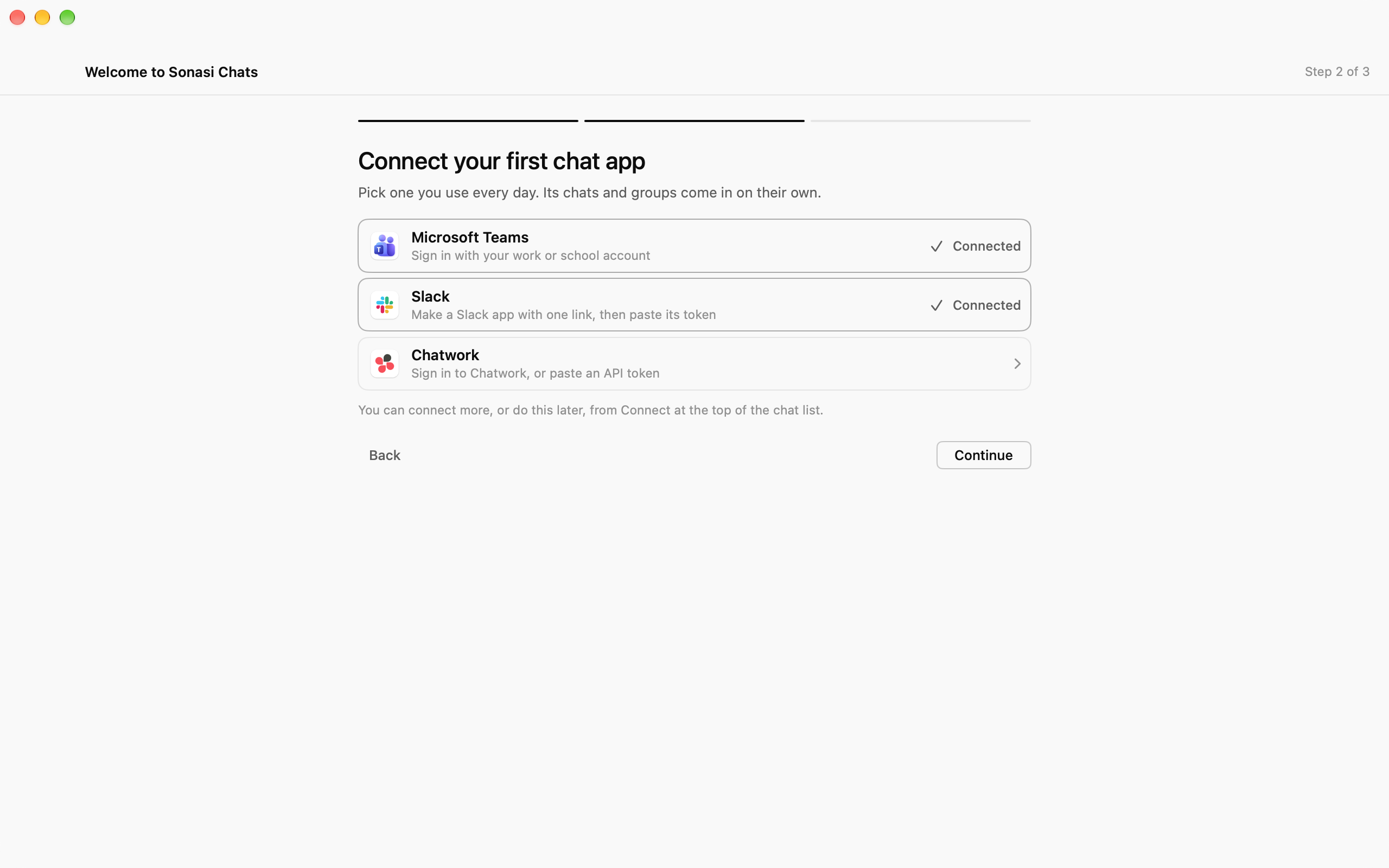
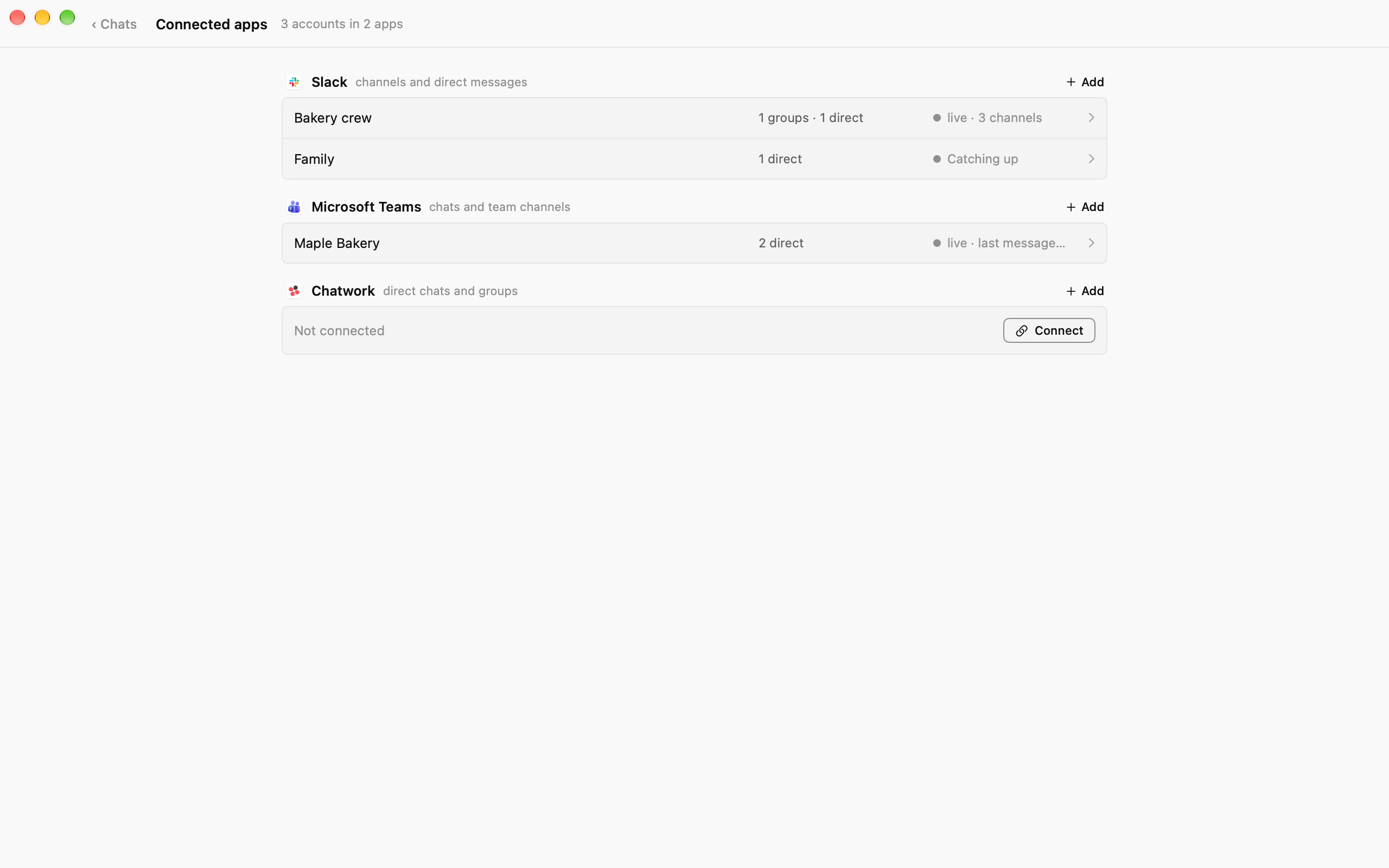
Sonasi Chats brings the chat apps you use at work into one calm window on your Mac, and helps you work across languages without copying a single message into a translator.
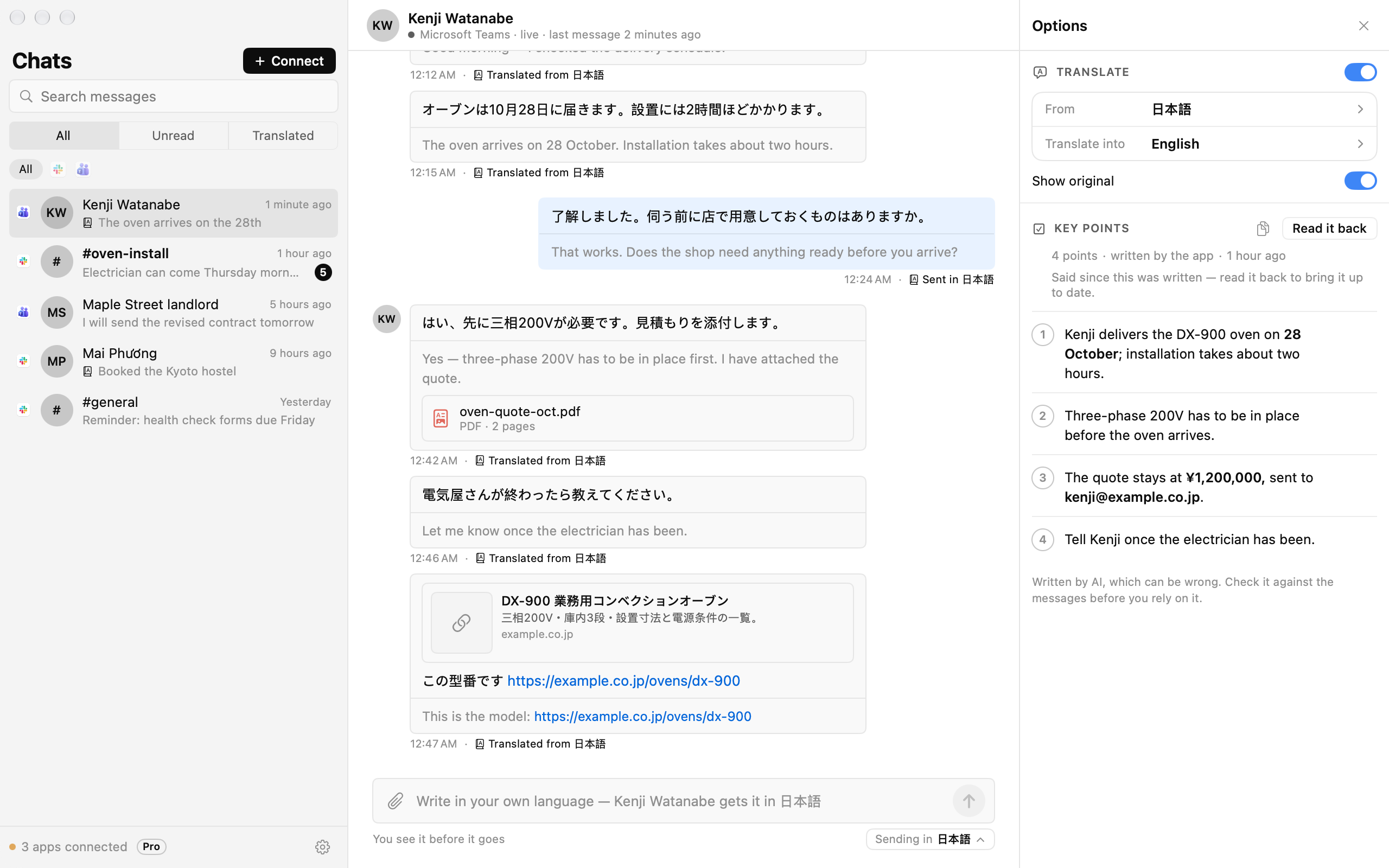
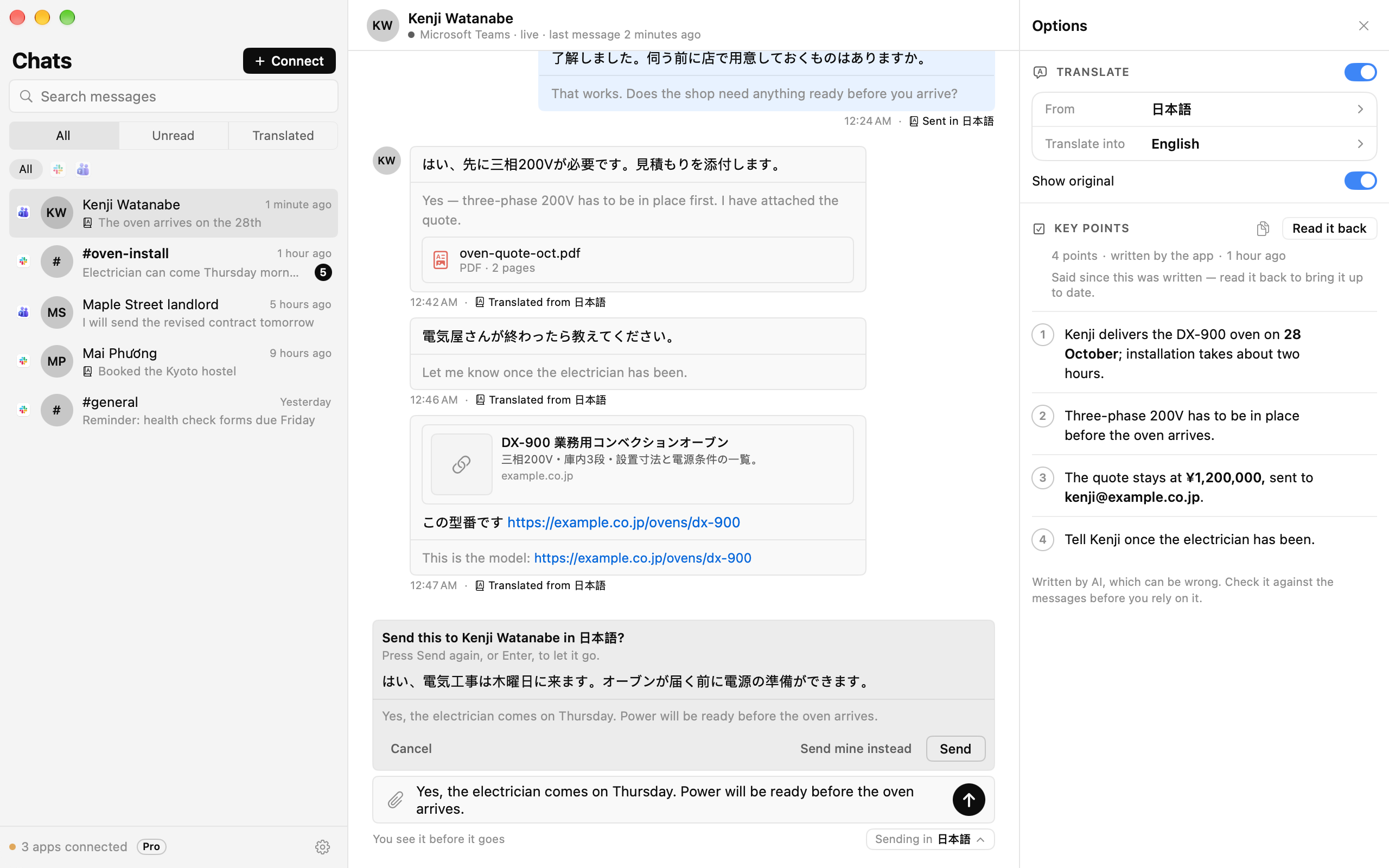
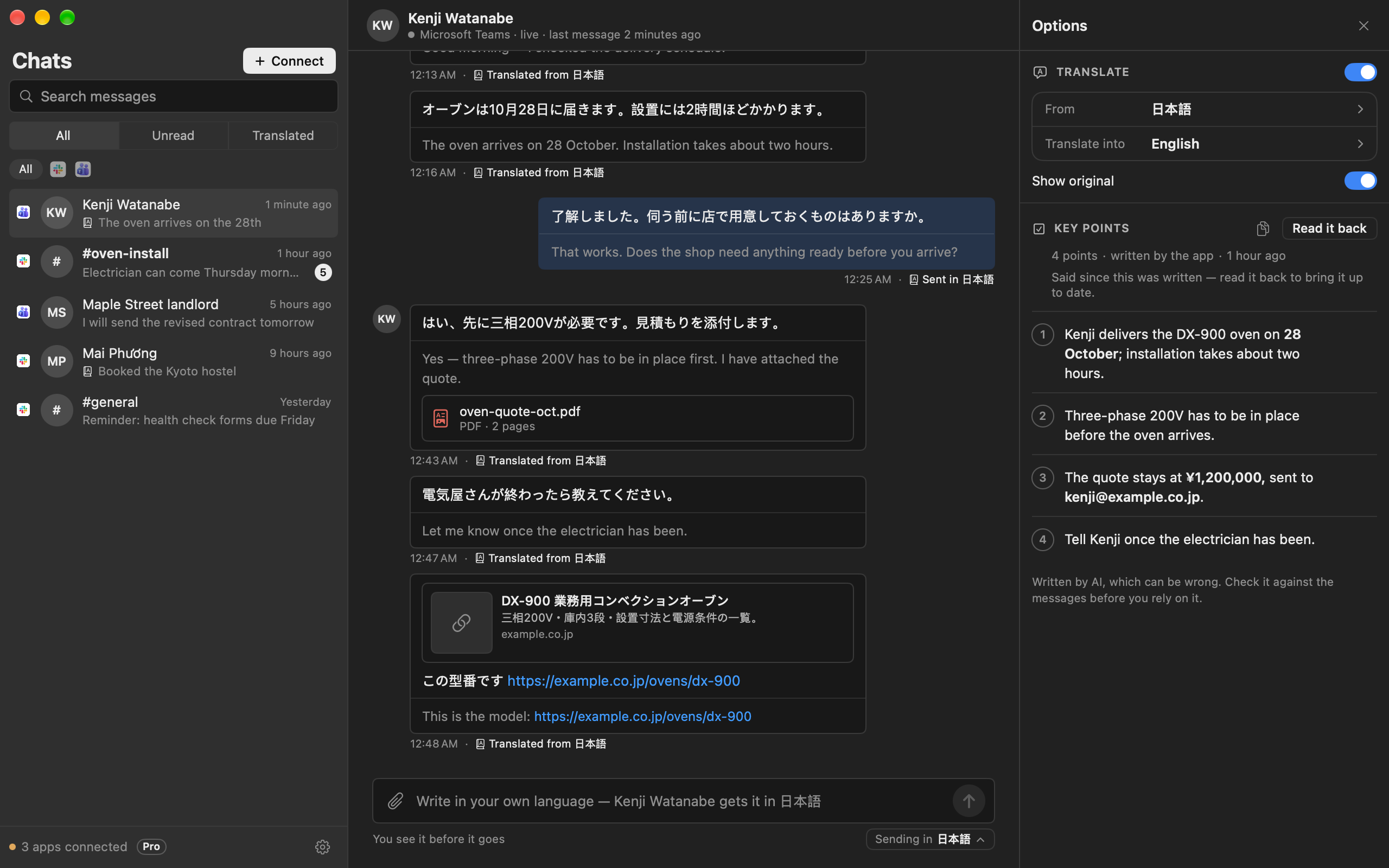
Connect your accounts and every conversation and group chat, from every service, lands in one list. Turn on translation for a chat and each message appears in your language, with the original underneath if you want it. Write your reply in your own words: the app puts it into the other person's language and shows it to you before anything is sent.
For each conversation, Sonasi Chats also writes down what was settled — dates, prices, who does what — as a short numbered list, so a long thread becomes four lines you can act on.
The AI is yours to choose: your own account with OpenAI, Anthropic, Google or any OpenAI-compatible service, or a model that runs entirely on your Mac. Your chats stay on your Mac, not on our servers.
Works today with Slack, Microsoft Teams and Chatwork. Free reads one chat account, with translation and key points in five of its chats. Pro reads every account you connect, with both in every chat.
Features
Every chat in one list
Slack, Microsoft Teams and Chatwork side by side, newest first. Search all your messages, filter by unread or translated, and get a notification when someone writes.
Read in your language
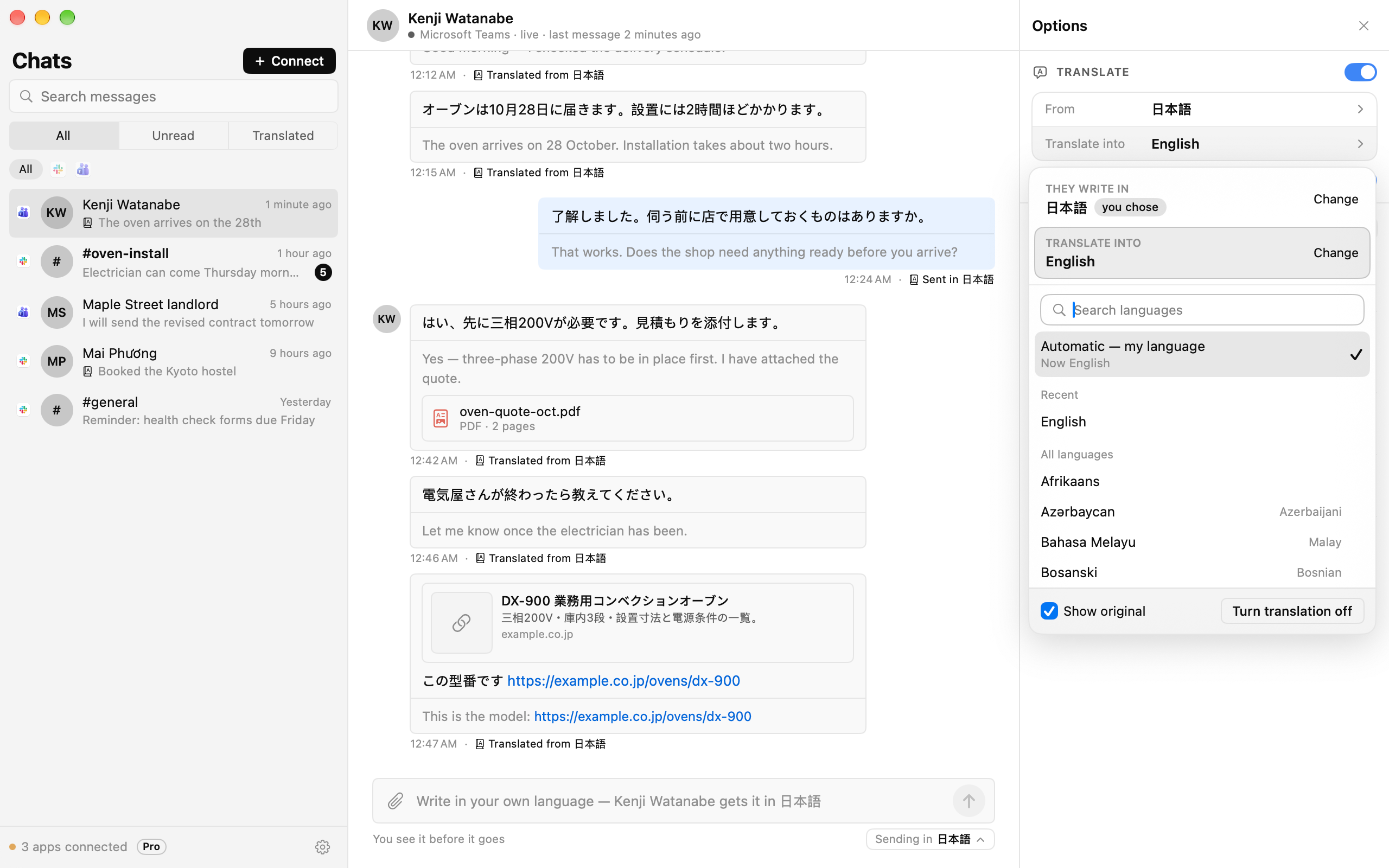
Turn on translation and every message appears in your language, with the original kept underneath. The app tells which language each message is in, even in a group that writes in several.
Reply in theirs
Write in your own language. The app translates your reply into the other person's and shows it to you first; nothing is sent until you say so.
Key points, written for you
What was settled in each conversation — dates, prices, who does what — as a short numbered list, with dates and amounts picked out. Copy it, tick points off, read it back as the chat moves on.
Your AI, your choice
Use your own OpenAI, Anthropic or Google account, any OpenAI-compatible service, or a model that runs on your Mac with no internet at all.
Private by design
Messages are kept on your Mac. Sign-ins and API keys live in the macOS Keychain. Usage statistics are anonymous and only sent if you agree.
Over 70 languages
A searchable language picker: type "japan" or "ja" and you are there. The app itself speaks English, Vietnamese, Japanese, Korean, Thai and Chinese.
In-app purchases
The app itself is free to download.
Prices are for the United States App Store and may differ in your country. Billing, renewal and cancellation are handled by Apple.
Requirements
- macOS
- macOS 26 Tahoe or later
- Mac
- Apple silicon (M1 or later)
- Chat accounts
- Slack, Microsoft Teams or Chatwork
- AI
- Your own AI account, or a model downloaded to your Mac (8 GB of memory or more recommended)
- Languages
- English, Tiếng Việt, 日本語, 한국어, ไทย, 简体中文, 繁體中文
Questions
Which chat apps does it work with?
Slack, Microsoft Teams and Chatwork today, with more to come. Each connects through its own sign-in; for Slack you make a small app in your own workspace, and the app walks you through it.
Do my messages go to your servers?
No. Messages are fetched straight from the chat service and kept on your Mac. To translate or write the key points, the text goes to the AI you chose — your own AI account, or nowhere at all if the model runs on your Mac.
Do I need an AI account?
No. You can download a model in Settings and run it on your Mac, with no account and no internet. An account with OpenAI, Anthropic or Google is faster and handles long conversations better; you pay that provider for what you use.
Is anything sent without my say-so?
No. A reply you write in your language is shown to you translated before it goes, and only goes when you press Send.
What is the difference between Free and Pro?
Free reads one chat account, with translation and key points in up to five of its chats, for as long as you like. Pro reads every chat account you connect, with translation and key points in every chat. Pro is a monthly or yearly subscription with a free trial.
What happens if I stop paying for Pro?
The app goes back to Free. Nothing is deleted: you choose the one account to keep reading, and the others keep every message they already have until you are on Pro again.
How do I cancel?
In your App Store account on the Mac: App Store › your name › Account Settings › Subscriptions. Pro stays until the end of the period you paid for.