Sonasi Meetings
Live transcription and translation for every meeting — on your Mac, iPhone and iPad, private and on-device.
Overview
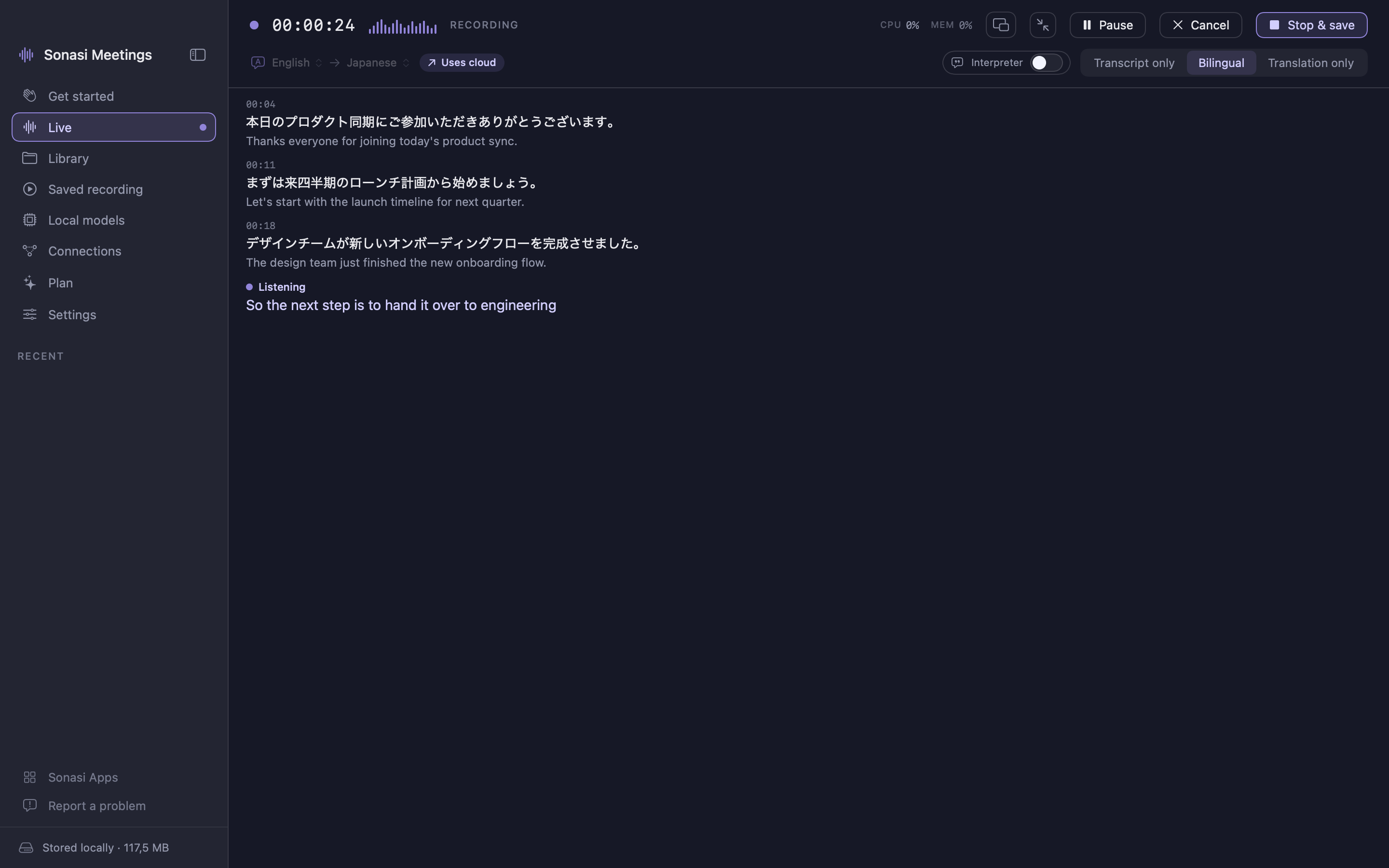
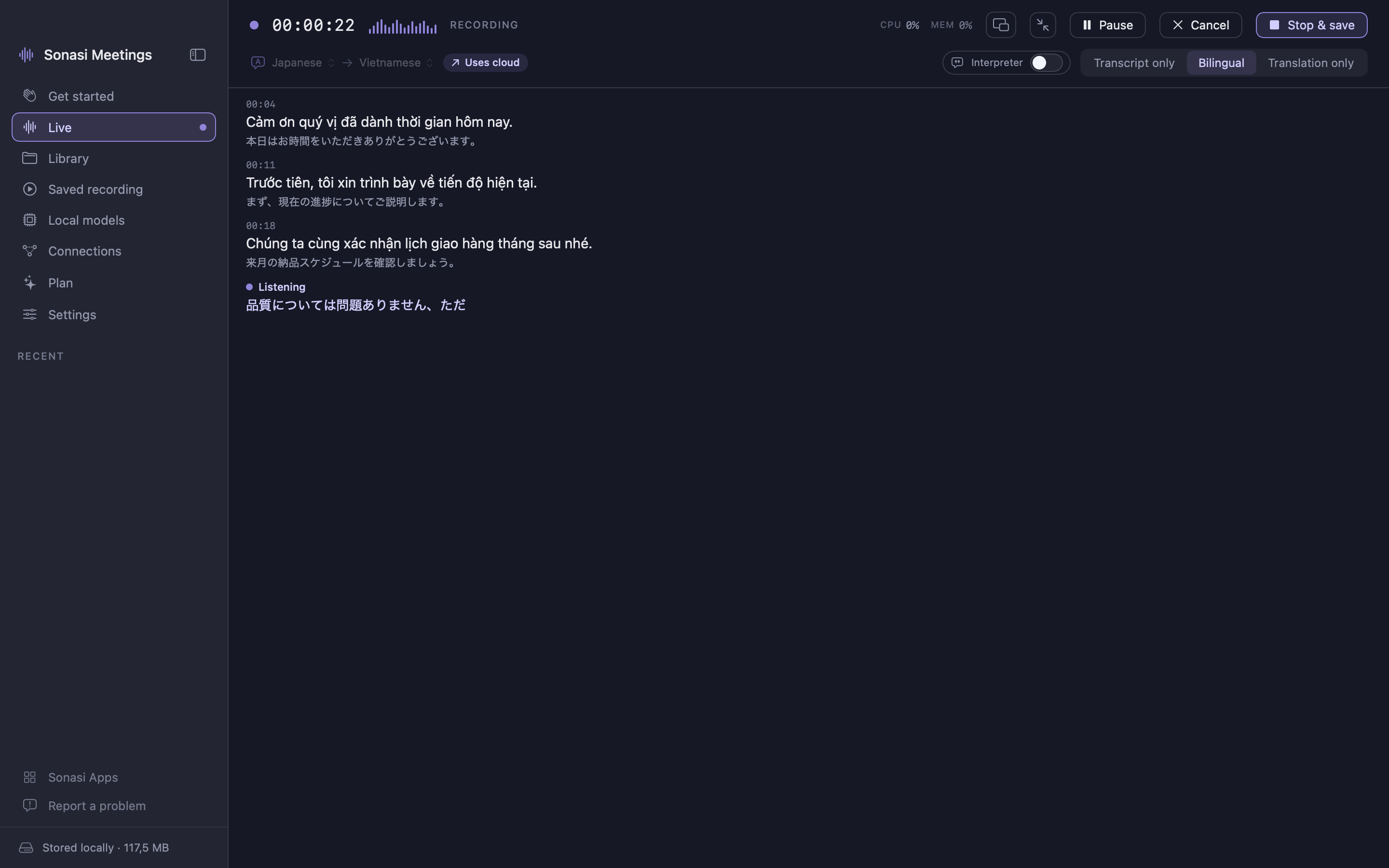
Sonasi Meetings turns any conversation into a live transcript and translation — on your Mac, iPhone or iPad. Press Record and read along as people speak, in your own language.
Built for cross-language meetings, interviews, lectures and calls. Use it next to Zoom, Google Meet, Microsoft Teams, or with the people in the room.
LIVE, IN TWO LANGUAGES
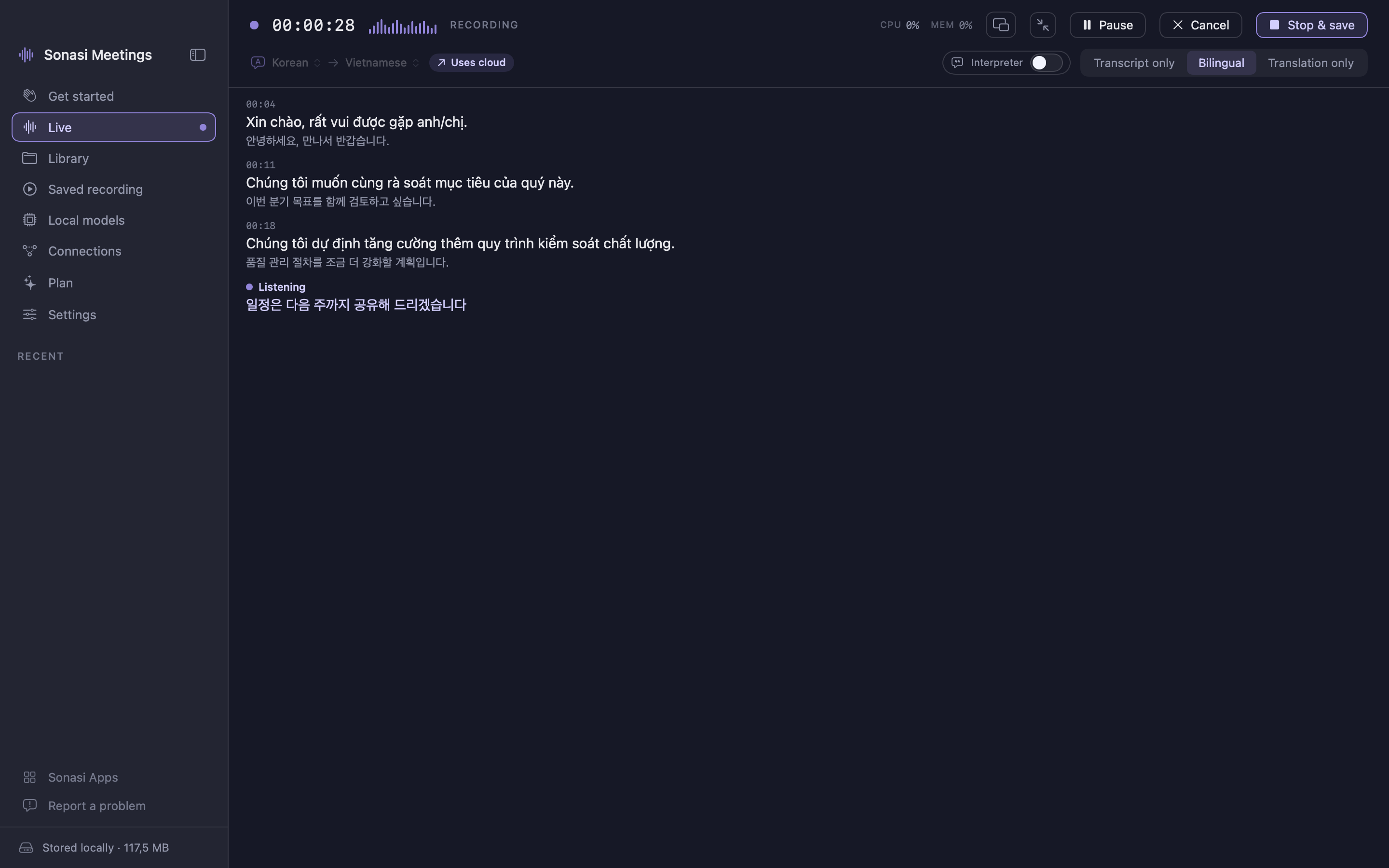
- Words appear as they are spoken, in up to 99 languages
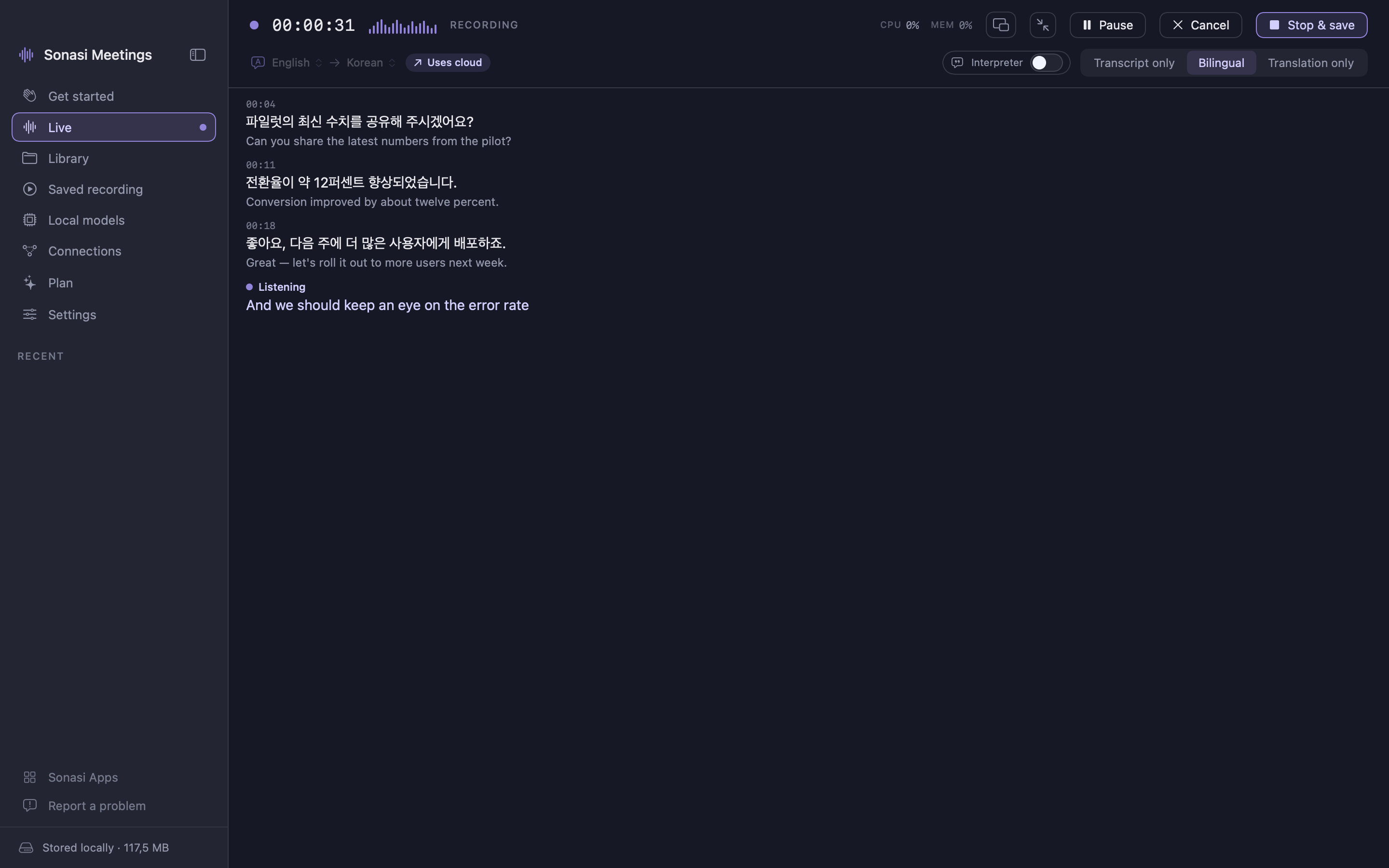
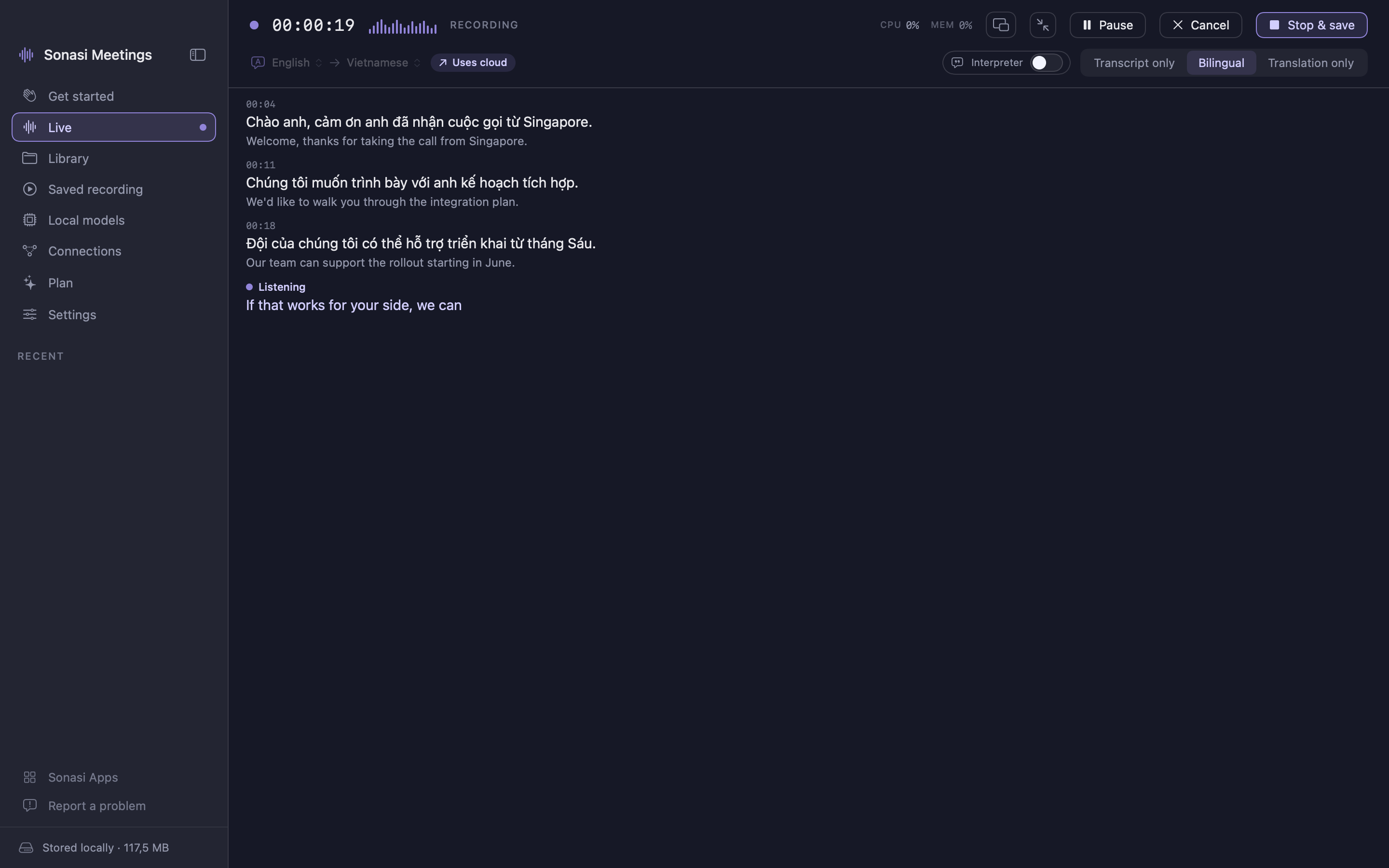
- Real-time translation shown beside the original, or on its own
- Interpreter mode waits for a complete thought and translates it whole — like a human interpreter, not word by word
- Show the transcript, the translation, or both side by side
- Pause, resume, and keep recording with the screen locked
- Choose the engine per task — transcription, translation, summaries — on-device by default, cloud where you want more accuracy
POLISHED AFTER THE MEETING
- Polish rewrites the raw transcript: punctuation, names, brands and technical terms corrected consistently, fillers removed
- The translation is then redone from the clean text with full context, so it reads as one coherent document
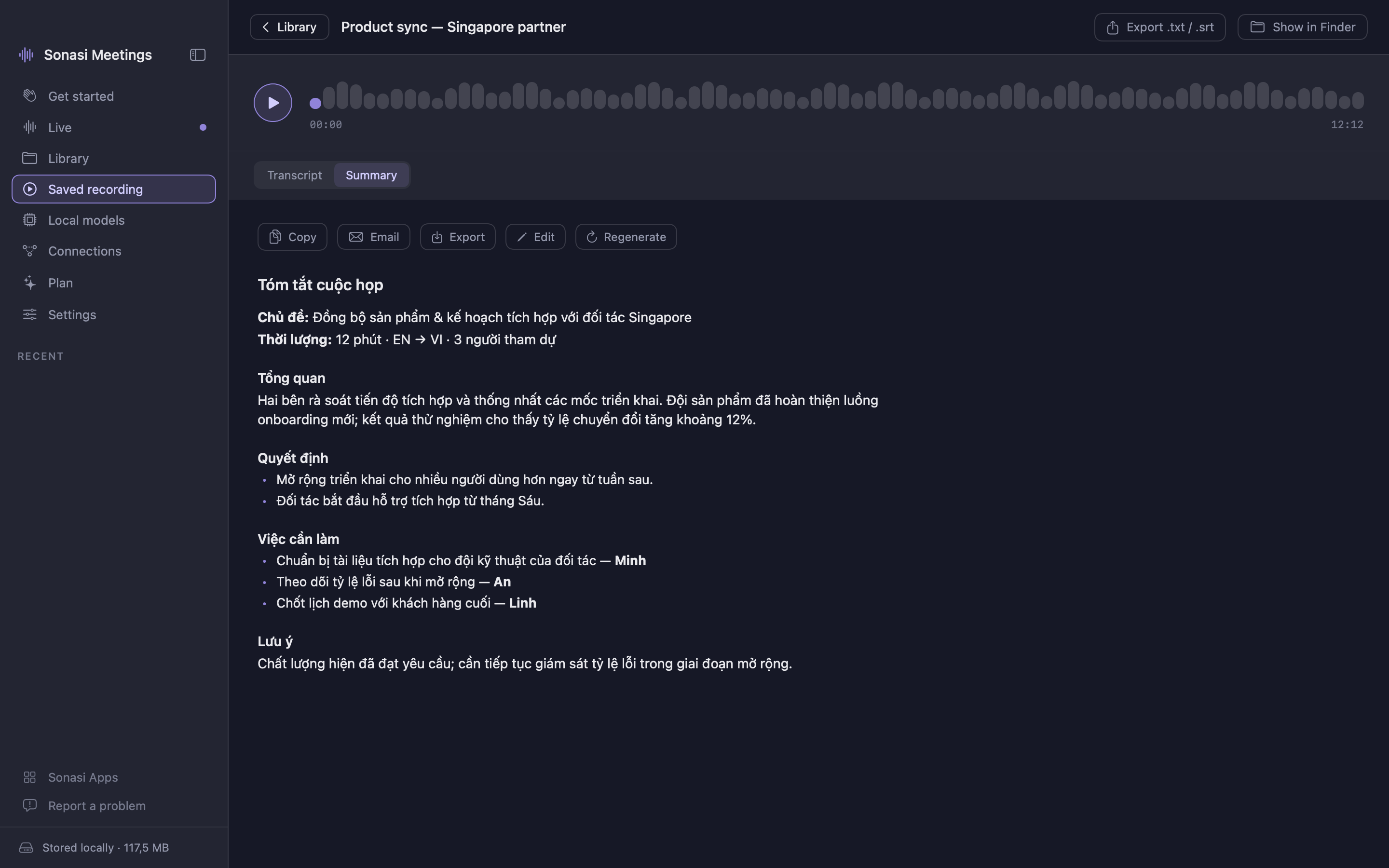
- Summaries with key topics, decisions, action items and open questions — in your language
- Recordings are named after what was actually discussed, automatically
A LIBRARY YOU CAN SEARCH
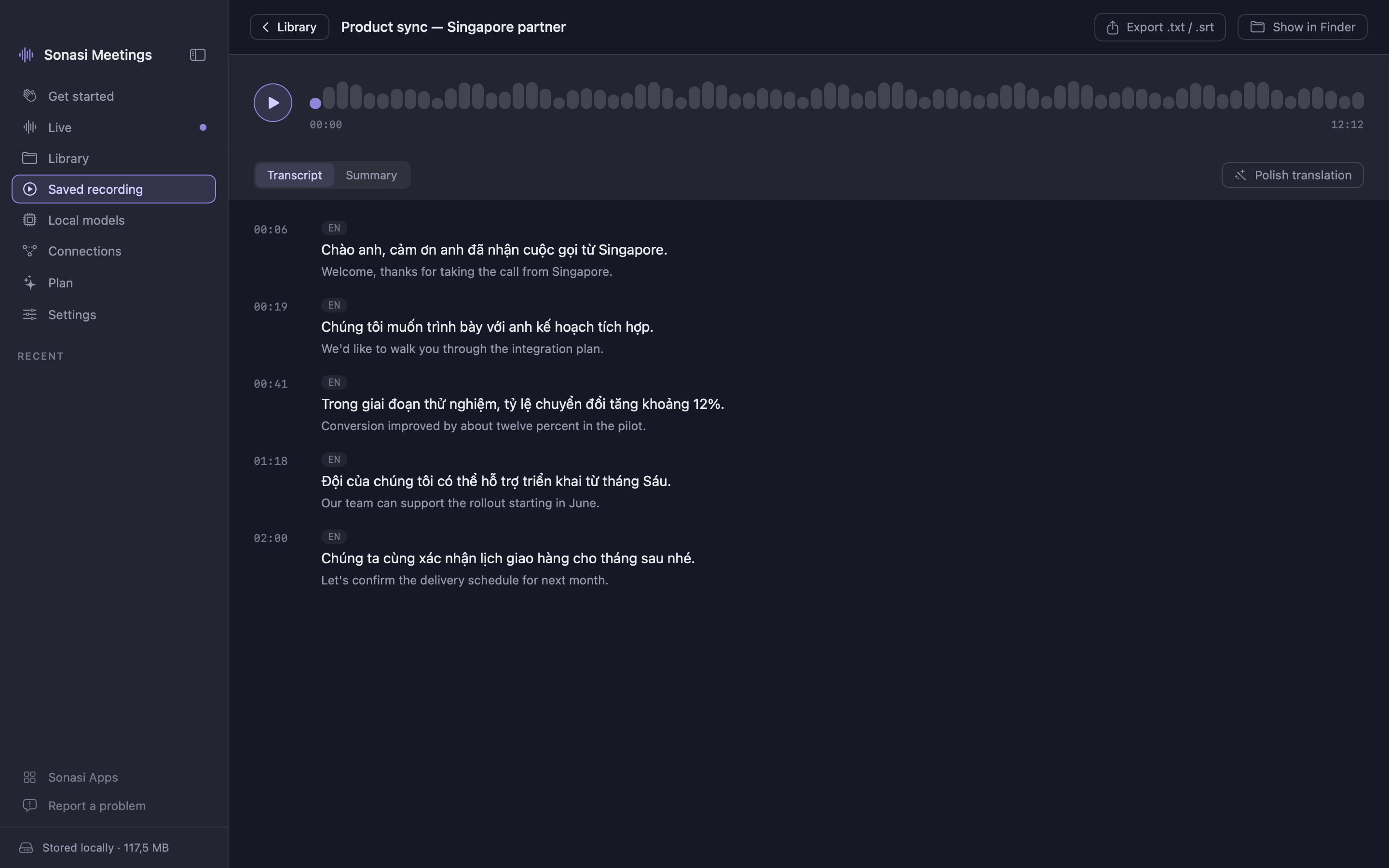
- Every recording with its audio, transcript, translation and summary
- Search any word across titles, transcripts and translations
- Rename, play back, share
PRIVATE BY DESIGN
- The default engine runs entirely on your device using Apple's built-in speech, translation and Apple Intelligence — nothing is uploaded
- Offline language packs work without internet
- No account. Delete a recording and it is gone — there is no server copy
- Anonymous usage statistics only if you opt in; never audio, transcripts or names
BRING YOUR OWN AI (OPTIONAL)
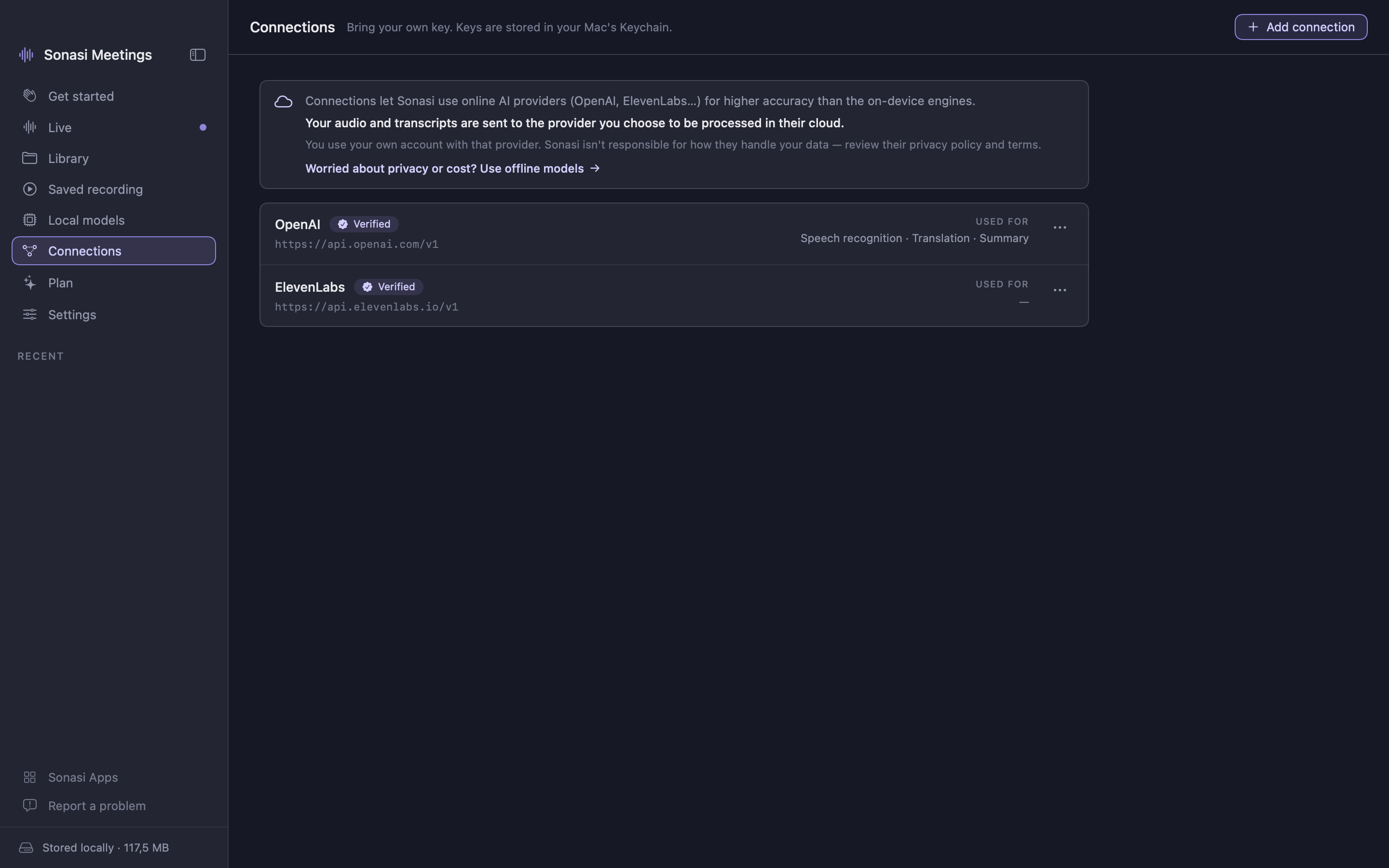
- Connect your own OpenAI, ElevenLabs, OpenRouter or Ollama account, or any OpenAI-compatible endpoint, for cloud accuracy
- Pick the exact model for transcription, translation and summaries; prices shown where the provider reports them
- Keys are stored in the system Keychain and never leave your device except to the provider you chose
ON MAC
- Captures your microphone and, optionally, the far side of a call to caption both ends
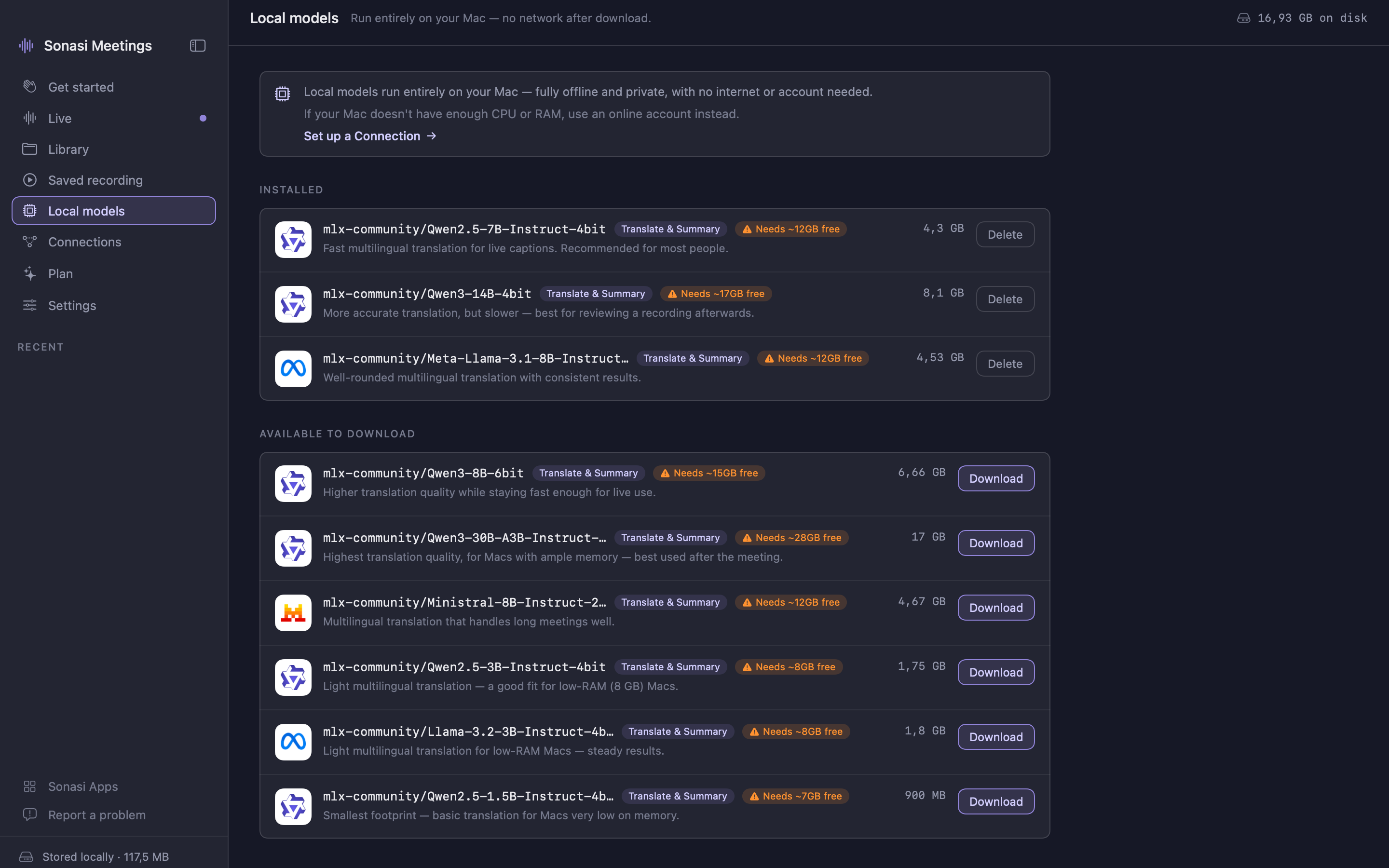
- Downloadable on-device AI models for fully offline, higher-quality results
- Read translations aloud with lifelike voices; export TXT / SRT
ON IPHONE AND IPAD
- Record in your pocket or on the table, with live captions and no auto-lock
- iPad: sidebar, recent recordings, and transcript and detail side by side
FREE EVERY DAY, PRO WHEN YOU NEED MORE Every feature is free with up to 30 minutes of recording a day. Sonasi Meetings Pro removes the limit: record for as long as the meeting runs. One Pro unlocks Mac, iPhone and iPad together — $9.99/month or $69.99/year, with a free trial on the yearly plan. Subscriptions renew automatically unless cancelled at least 24 hours before the end of the period; manage them in your App Store account.
MADE FOR Teams working across English, Vietnamese, Japanese, Korean and Chinese. Interviews and customer calls. Lectures and conferences. Anyone who wants to follow a conversation in a language they are still learning — and keep a record they can search later.
SIMPLE FOR EVERYONE No jargon, no setup, no configuration. Six interface languages: English, Vietnamese, Japanese, Korean, Chinese (Traditional and Simplified).
Requires macOS 15 or later, or iOS / iPadOS 18 or later. macOS 26 / iOS 26 with Apple Intelligence enables the most accurate on-device transcription and on-device summaries.
Terms of Use (EULA): https://www.apple.com/legal/internet-services/itunes/dev/stdeula/
Features
Live transcript
Words appear as they are spoken, in up to 99 languages, with the translation beside them.
Interpreter mode
Waits for a complete thought and translates it whole — like a human interpreter, not word by word.
Polish
Names, terms and punctuation corrected across the whole transcript, then the translation redone with full context.
Summaries and action items
Key topics, decisions and to-dos in your language, generated the moment the recording ends.
Search everything
Find any word across titles, transcripts and translations in your library.
Mac, iPhone and iPad
One app, one Pro. Record on the phone, read it on the Mac — your recordings stay on your devices.
In-app purchases
The app itself is free to download.
Prices are for the United States App Store and may differ in your country. Billing, renewal and cancellation are handled by Apple.
Requirements
- macOS
- 15 Sequoia or later, Apple silicon (M1 or later)
- iOS / iPadOS
- 18 or later
- Apple Intelligence
- macOS 26 / iOS 26 for on-device summaries (optional)
- RAM (Mac)
- 8 GB minimum, 16 GB recommended for local AI models
- Space
- ~500 MB; on-device AI models 1–17 GB each (Mac, optional)
- Access
- Microphone and Speech Recognition; Screen Recording on Mac to caption the far side of a call (optional)
What's new
- What’s New
- More languages, on device
- Live transcription now runs on device for many more languages, including Vietnamese, Thai, Hindi, Russian, and Indonesian — no cloud needed.
- When your language is high quality on Apple’s on-device engine, cloud transcription automatically switches to on-device to cut cost and latency, with no loss in quality.
- Better live accuracy
- Fixed dropped and out-of-order words during live transcription.
- Rebuilt real-time cloud transcription (ElevenLabs and OpenAI): no more cut-off, duplicated, or vanishing lines.
- Auto-detect source language now translates correctly.
- Redesigned floating captions (Picture-in-Picture)
- Text now streams in live, word by word, instead of jumping a whole sentence at a time.
- Easier to read: the translation stands out, the original sits beneath, every line is timestamped.
- A fixed, resizable window — captions scroll inside instead of growing off-screen — and it stays in sync with the main window.
- A window that fits your screen
- The main window now resizes much smaller, down to a compact size that’s handy during meetings.
- New compact button (next to Picture-in-Picture) instantly shrinks the window and brings it back to full size.
- The transcript is now one clean, easy-to-read stream at every size.
- Your choices, remembered
- The app remembers your Live display mode (Transcript only, Bilingual, or Translation only) and your language selection.
- Clearer guidance
- Friendly alerts when a language may be low quality on the default engine, or when a language pair isn’t supported — with one tap to switch to Cloud or Local, or download the language pack in app.
- Privacy and sharing
- Encryption now protects your audio file only; transcripts are always searchable in Sonasi Notebook.
- New installs start with Sonasi Notebook sharing on and audio encryption off (both changeable in Settings).
- Optional anonymous usage statistics (opt-in during setup) help us improve the app — never your audio, transcripts, or any personal data.
- Also: quick links to the other Sonasi apps and a “Report a problem” page, plus a range of stability and performance improvements.
- Allow Sonasi Meetings to sync data directly with Sonasi Notebook, another application within Sonasi AI Studio.
- Published
Questions
Is Sonasi Meetings free?
Yes — every feature is free, with up to 30 minutes of recording a day. Sonasi Meetings Pro removes that limit so you can record for as long as the meeting runs: $9.99/month or $69.99/year, with a free trial on the yearly plan. One Pro covers Mac, iPhone and iPad.
Does it work on iPhone and iPad?
Yes. Sonasi Meetings is one app for Mac, iPhone and iPad with the same bundle, so a single purchase of Pro unlocks all three. On iPad it has a sidebar and shows the list and the recording side by side.
Is my audio private?
By default everything runs on your device using Apple's built-in speech, translation and Apple Intelligence — nothing is uploaded and there is no account. Audio or text only leaves your device if you choose to connect your own cloud provider.
Which meeting apps does it work with?
Any of them. Sonasi listens to the microphone — and on Mac, optionally, the system audio — so it works with Zoom, Google Meet, Microsoft Teams or people in the same room. No plugin or integration needed.
Do I need an internet connection?
No. On-device transcription and Apple's offline language packs work without internet. A connection is only needed if you opt into a cloud engine.
How many languages are supported?
Transcription supports up to 99 languages with a cloud engine, and Apple's on-device set offline; real-time translation across dozens of language pairs. The interface comes in English, Vietnamese, Japanese, Korean and Chinese.
What does Polish do?
After the meeting, Polish rewrites the raw transcript — punctuation, names, brands and technical terms corrected consistently, fillers removed — and then redoes the translation from the clean text with full context. It uses the cloud model you assigned to Translation.
Can I use my own AI account?
Yes. Connect OpenAI, ElevenLabs, OpenRouter, Ollama or any OpenAI-compatible endpoint with your own key, and pick the exact model for transcription, translation and summaries. Keys are kept in the system Keychain.
Can it capture the other person on a call?
On Mac, yes: grant Screen Recording permission and Sonasi captions both your microphone and the far side of the call. On iPhone and iPad it uses the microphone.
Where are my recordings stored?
On your device — in a folder you choose on Mac, and in the app's own storage on iPhone and iPad. Delete a recording and it is gone; there is no server copy. On Mac, transcripts and summaries can be exported as TXT or SRT.